Can I Give Temporary Access to Visitors or Contractors?
A practical guide to giving visitors or contractors temporary access without sharing permanent credentials—using time-limited PINs, mobile passes, QR codes, and audit-friendly access logs.
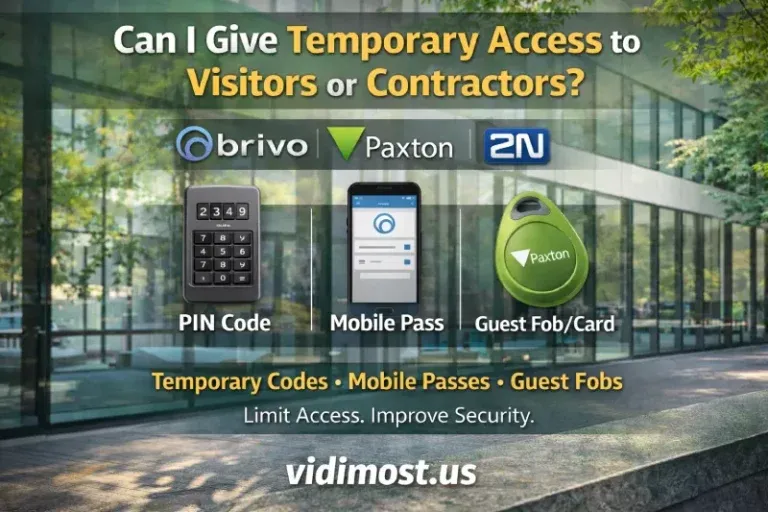
Yes — and it’s one of the best security features of modern access control in Chicago.
If you manage a condo, apartment building, HOA, or office in the Chicago area, you should be giving time-limited access to visitors and contractors instead of handing out permanent fobs or reusable door codes. Temporary access (PINs, guest fobs, or mobile credentials) can expire automatically, which reduces risk and eliminates the “who still has a working credential?” problem.
Below is a practical guide, with Brivo, Paxton, and 2N examples.
Why temporary access is safer than “just give them a fob”
Temporary credentials improve security because you can:
- Set start/end dates (e.g., “only next week”)
- Restrict access to specific doors (lobby only, not gym/garage)
- Limit access to specific hours (Mon–Fri, 9am–5pm)
- Keep an audit trail (who accessed what and when)
This is perfect for: contractors, cleaners, dog walkers, movers, realtors, vendors, deliveries, and short-term guests.
The main ways to grant temporary access
- Temporary PIN code (keypad)
- Guest mobile credential / invite (phone-based)
- Guest fob/card that’s disabled automatically
- Time-limited access level/time profile (system-controlled schedules)
Brand-specific setup (Brivo, Paxton, 2N)
Brivo: guest access codes and time-limited invites
Brivo makes temporary access very straightforward—especially for teams who manage doors remotely.
Option A — Assign a PIN to a user (temporary by policy/schedule)
Brivo’s support docs show how admins assign a PIN credential under a user’s credentials (choose PIN, generate or set length, etc.).
Option B — Brivo Mobile Pass guest invite (start + end times)
Brivo’s Mobile Pass guest flow explicitly lets you choose start and end times for a guest access code, then share it.
Extra control — syncing guest codes to locks
If your setup involves locks that need code syncing, Brivo supports scheduling when a guest’s temporary access code is pushed/synced.
Brivo best practice: use guest invites or time-bounded PINs for contractors instead of permanent cards. Keep doors/time windows tight.
Paxton Net2: temporary access rights that automatically revert
Paxton’s documentation is very clear: you can temporarily change a user’s access rights for a defined timeframe, and after that the user reverts back to their prior access level.
How it works (Net2)
- Choose the user’s Access Level
- Select the time frame that access should be valid for (e.g., “next 7 days”)
- After the timeframe, Net2 automatically returns them to the previous access level
Paxton also supports building access logic using access levels and time zones, which is the foundation for “only weekdays / only business hours” access.
And if you use keypads, Net2 supports access via token and/or PIN/code depending on reader mode.
2N: time profiles, PIN/QR, mobile key, and one-time codes
2N is common in Chicago properties for intercom + entry. Temporary access typically revolves around time profiles and user credentials.
Option A — Time Profiles in 2N Access Commander
2N Access Commander supports time profiles (multiple intervals per day) that can govern when access rules apply.
Option B — Assign PIN/QR code or mobile key to a user
2N Access Commander manuals describe assigning PIN/QR code or mobile key to users (requires valid user info like email for certain credential delivery).
Option C — True one-time codes (advanced)
2N also documents a method to configure one-time access codes with automation (commonly used in more advanced workflows/integrations).
Comparison table: Brivo vs Paxton vs 2N for temporary access
| Platform | Fastest temporary access method | Built-in “expires automatically”? | Best for |
|---|---|---|---|
| Brivo | Guest invite with start/end time(Mobile Pass) | Yes (time-bounded guest access) | Remote property management + fast guest handling |
| Paxton Net2 | Temporary access rights that revert after timeframe | Yes (auto-revert to prior access) | Buildings that want simple, predictable staff workflows |
| 2N | Apply time profiles + user PIN/QR/mobile key | Yes (via time profiles / rules); one-time codes possible | Intercom-centric sites and structured schedules |
Security best practices (what I recommend in Chicago buildings)
- Never issue permanent credentials for “temporary” work
- Limit by door group (e.g., service entrance only)
- Limit by time window (e.g., weekdays 9–5)
- Require identity verification before issuing access
- Remove/expire access the moment the job is done
- Avoid “shared codes” whenever possible (use per-person credentials for audit trail)
FAQ
Can I give access that works only for 7 days?
Yes. Brivo guest access can be set with start/end times. Paxton Net2 supports time-limited access changes that revert automatically. Paxton And 2N can control access via time profiles.
Can I do one-time access for a dog walker or delivery?
Yes—mobile guest access is often easiest. For 2N, one-time codes can be configured via automation in more advanced setups.
What if I forget to revoke access?
That’s exactly why temporary access is better: set expirations/timeframes so it shuts off automatically.
If you want temporary access set up properly (correct schedules, door groups, audit logs, and clean admin workflow) for Brivo, Paxton, or 2N, I can help.
Vidimost LLC — Access Control in Chicago
Comments ()