Inside the Paxton Solo: How NFC and Bluetooth Unlock Doors Without Batteries
We opened up the Paxton Solo controller to see how they pull off the 'no batteries, no wires' NFC trick. Here's what's actually on the PCB and how the unlock sequence works.
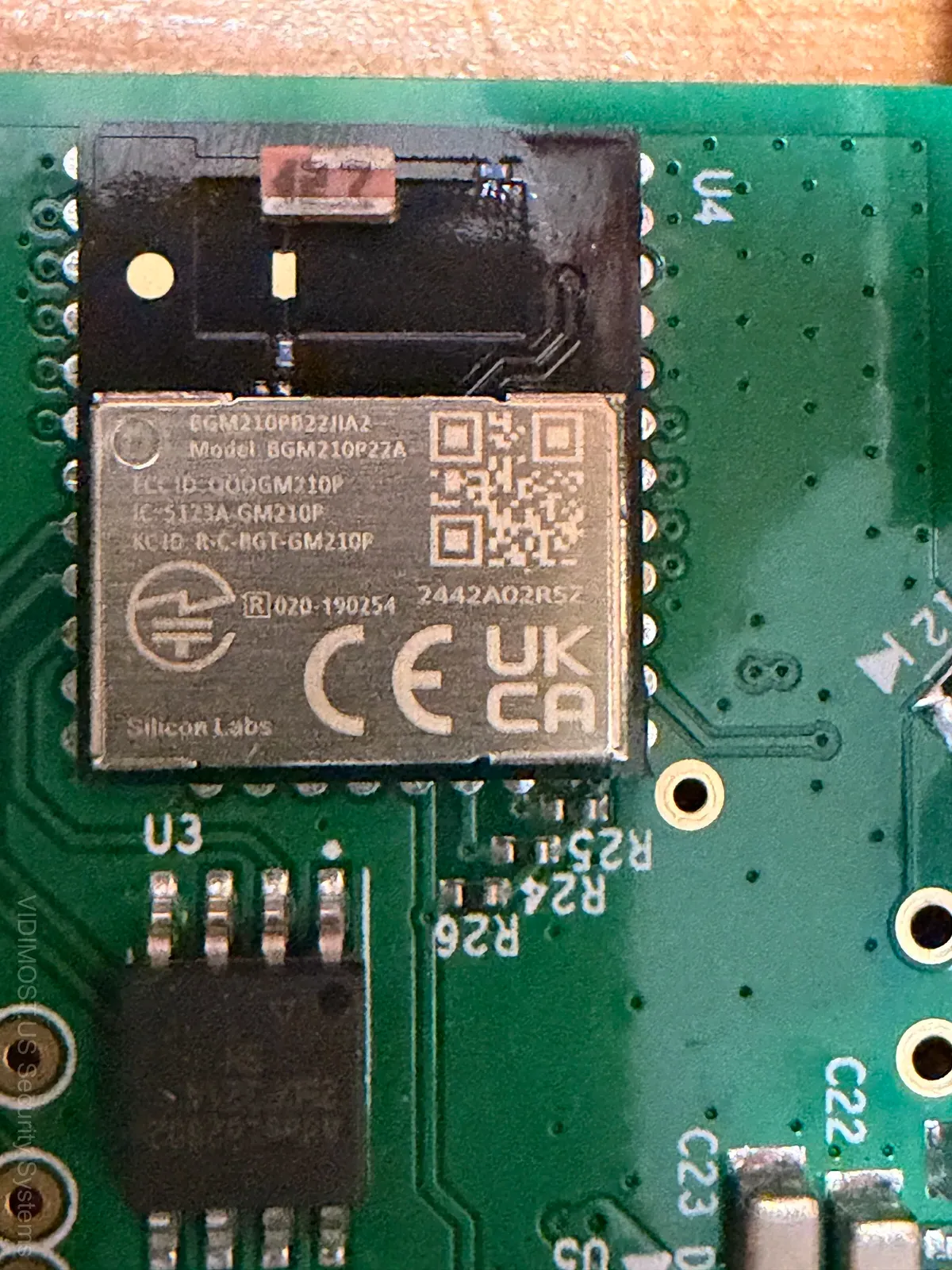
I took apart the Paxton Solo controller because I genuinly wanted to understand how they pull off the "no batteries, no wires" trick with the NFC tag. Turns out the engineering inside is smarter than I expected — and I've been opening up access control hardware for years across Chicago installs.
Fair warning — this gets nerdy. If you just want to know whether Solo is worth buying, check the review article. This one is for the folks who wanna know whats actually happening on that PCB.
The Controller PCB: A Closer Look
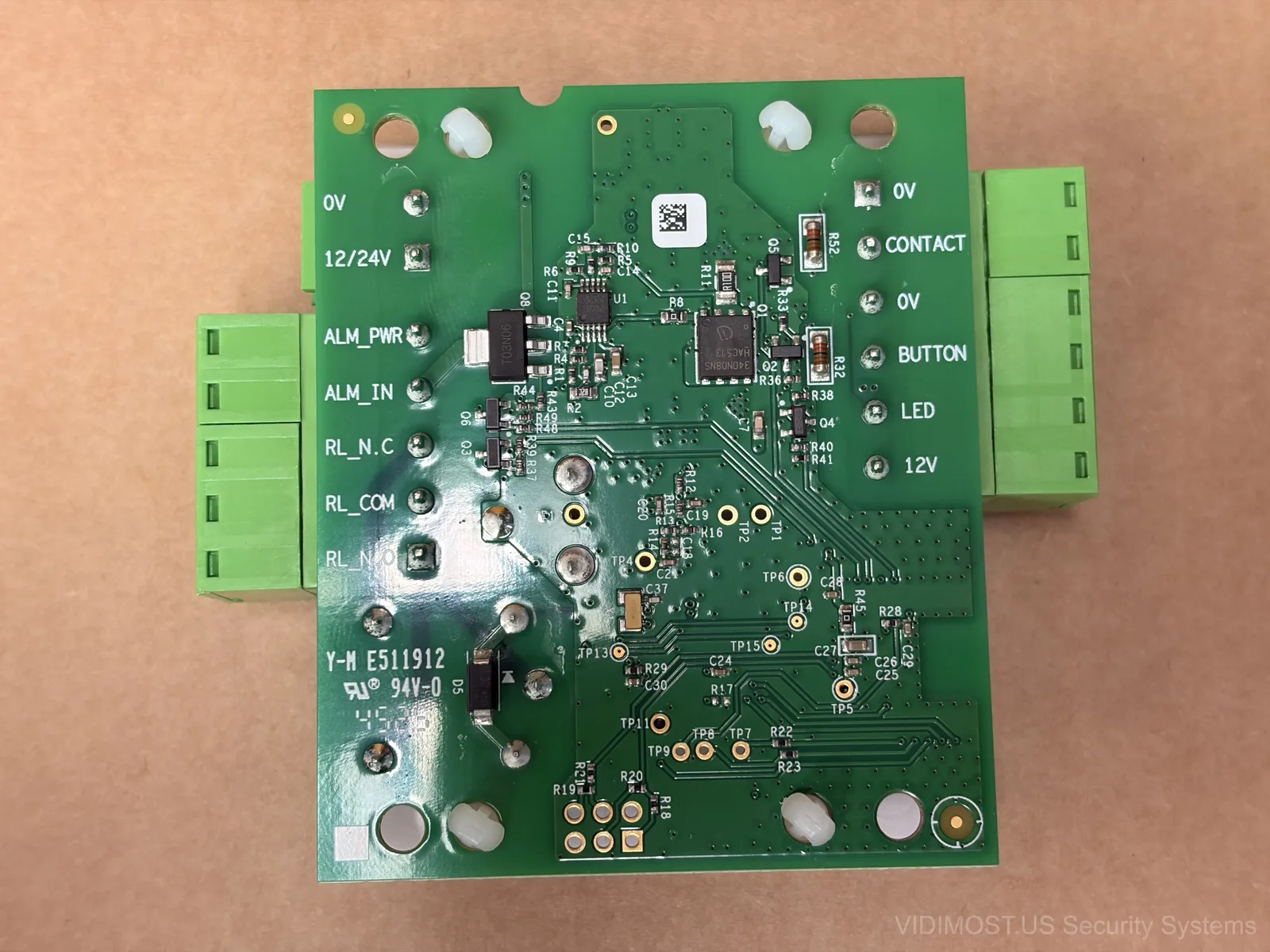
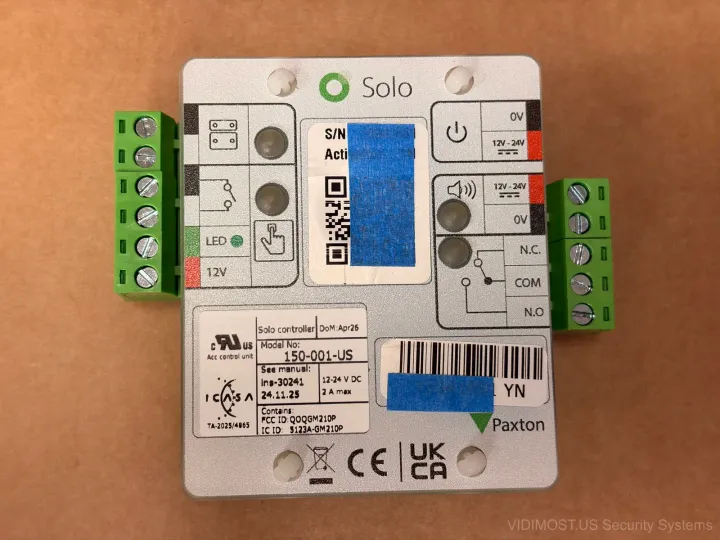
The board layout is cleaner than alot of access control hardware I've seen. Paxton clearly designed this for manufacturing efficiency — single-sided component placement with the important stuff concentrated in the center.
Terminal blocks run along three edges:
- Left side: 12/24V power input and alarm power/input
- Bottom: relay output (N.C., COM, N.O.) — your standard dry contact for electric strikes or mag locks
- Right side: door contact sensor, request-to-exit button, LED output, and 12V pass-through for powering the lock
The 12V output terminal is a nice touch — means you can power a small electric strike directly from the controller without running a separate power line. Smart move for keeping installations simple.
The Brains: Silicon Labs BGM210P Bluetooth Module
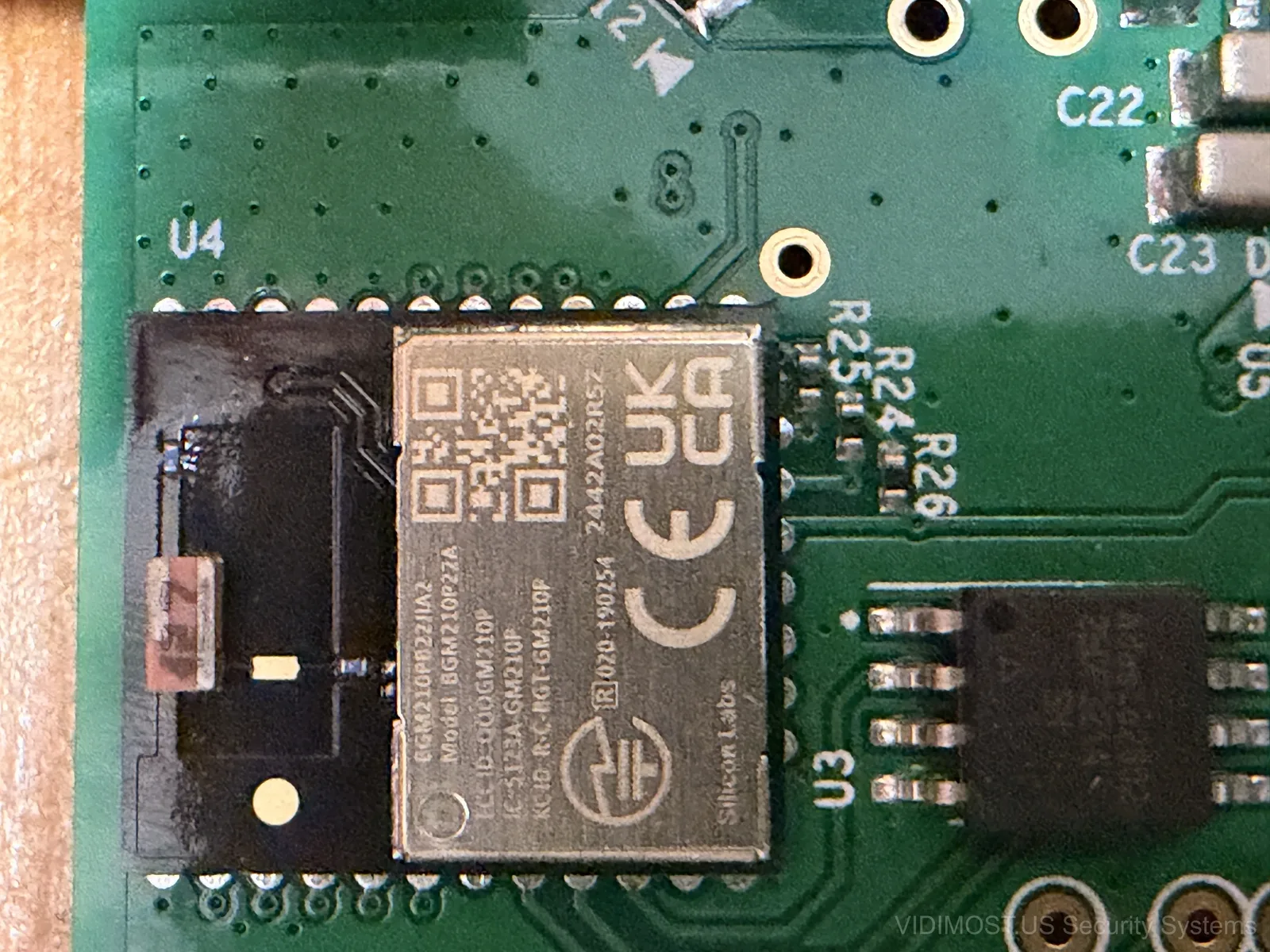
This is the heart of the whole system. The Silicon Labs BGM210P is a Bluetooth Low Energy (BLE) module based on the EFR32 Mighty Gecko platform. Its a System-in-Package — the radio, ARM Cortex-M33 processor, flash memory, and antenna are all in one module.
Why does this matter? Because this single chip handles:
- Bluetooth communication with your phone
- Credential verification and encryption
- Relay control logic (when to fire the door lock)
- Cloud sync when internet is available
The BGM210P supports Bluetooth 5.2 with a range of roughly 10-15 meters indoors. Thats why Paxton recommends keeping the controller within Bluetooth range of the door — your phone needs to reach the controller through the wall. In our Chicago office the controller is mounted about 6 feet from the door and works perfectly. I wouldnt go much further tho.
The Clock: NXP PCF8563 Real-Time Clock
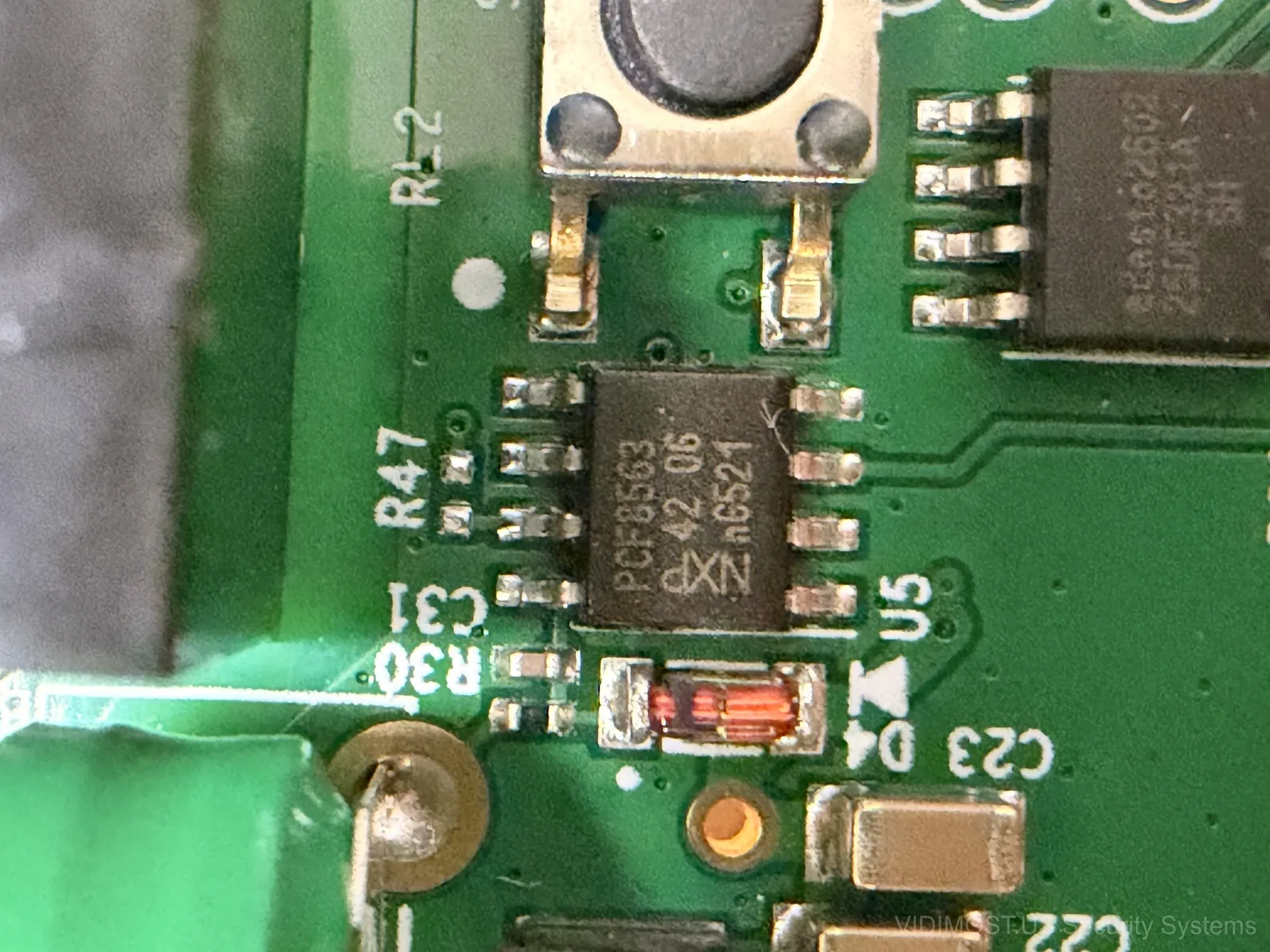
The little 8-pin chip labeled PCF8563 is a real-time clock from NXP. This is what keeps the controller aware of what time it is, even during power outages (theres a small capacitor backup on the board).
Why does an access controller need an RTC? Time-based access schedules. If you configure Solo to only allow access between 9 AM and 5 PM, the controller needs to know the current time independently — it can't rely on the phone's clock because thats a security risk (someone could change their phone time to bypass restrictions).
The PCF8563 is an industry standard part. You'll find it in everything from parking meters to security camera NVRs. It drifts about 2 seconds per day which is more than accurate enough for access schedules.
The Muscle: Infineon 340N08NS Power MOSFET
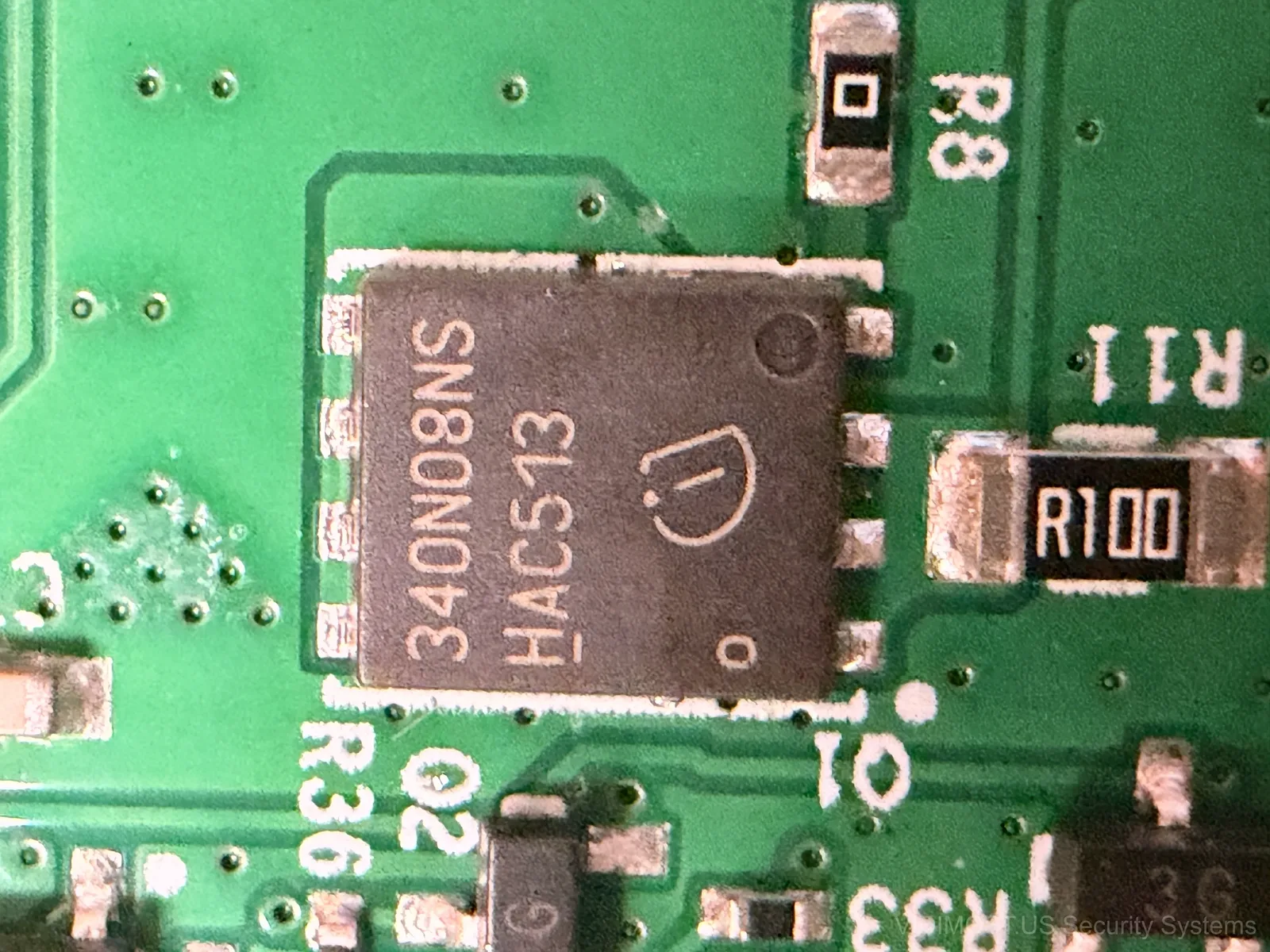
This chunky chip is an Infineon OptiMOS power MOSFET rated at 80V and 46A. Massively overspeced for switching a 12V door lock relay, but thats actually good engineering — it means the MOSFET runs cool, lasts forever, and can handle inrush current spikes from mag locks without breaking a sweat.
When the Bluetooth module decides to grant access, it triggers this MOSFET which energizes the relay coil. The relay contacts are what actually switch power to your electric strike or mag lock. Clean separation between the logic side and the power side.
How the NFC Tag Works Without Batteries
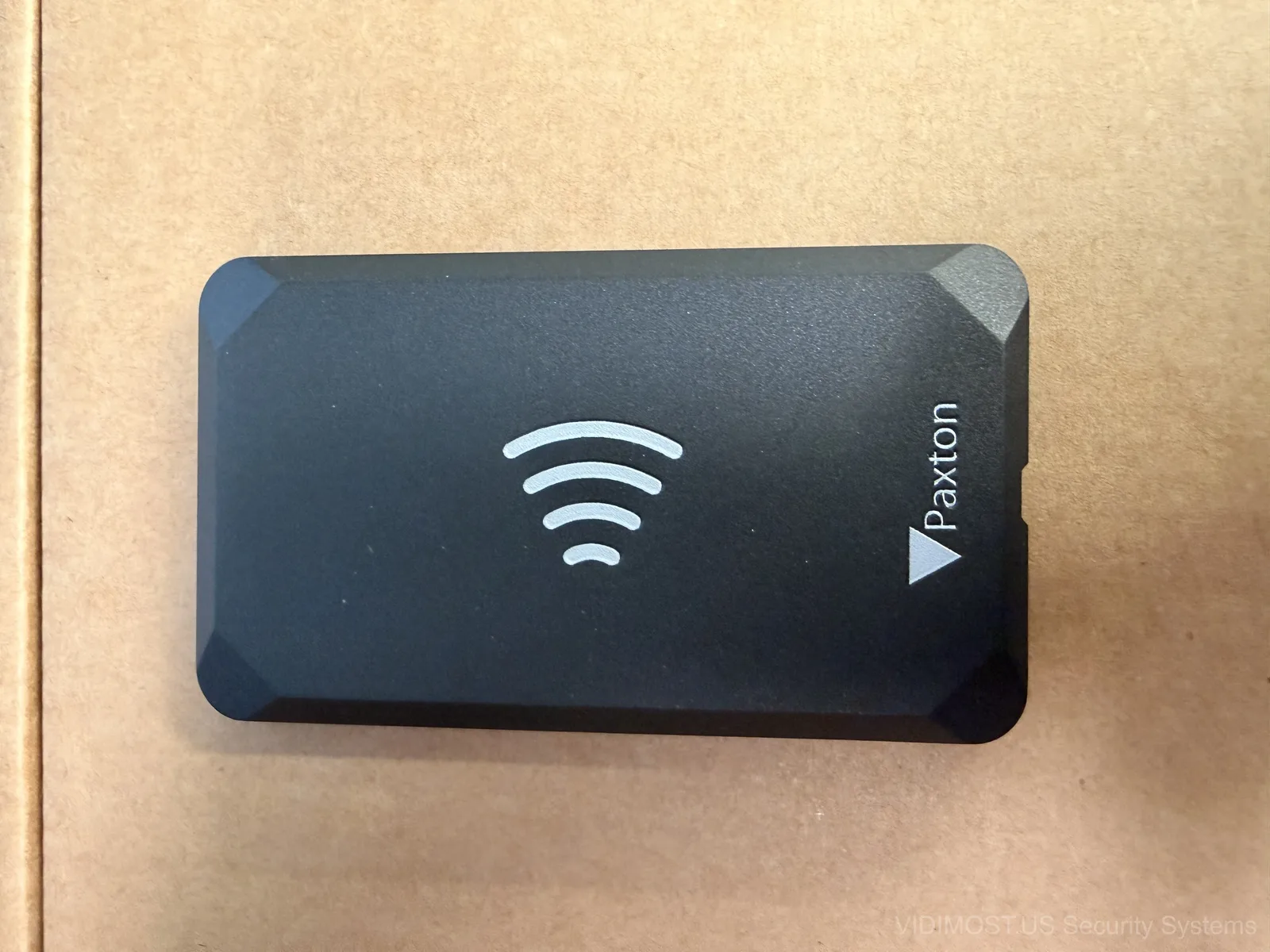
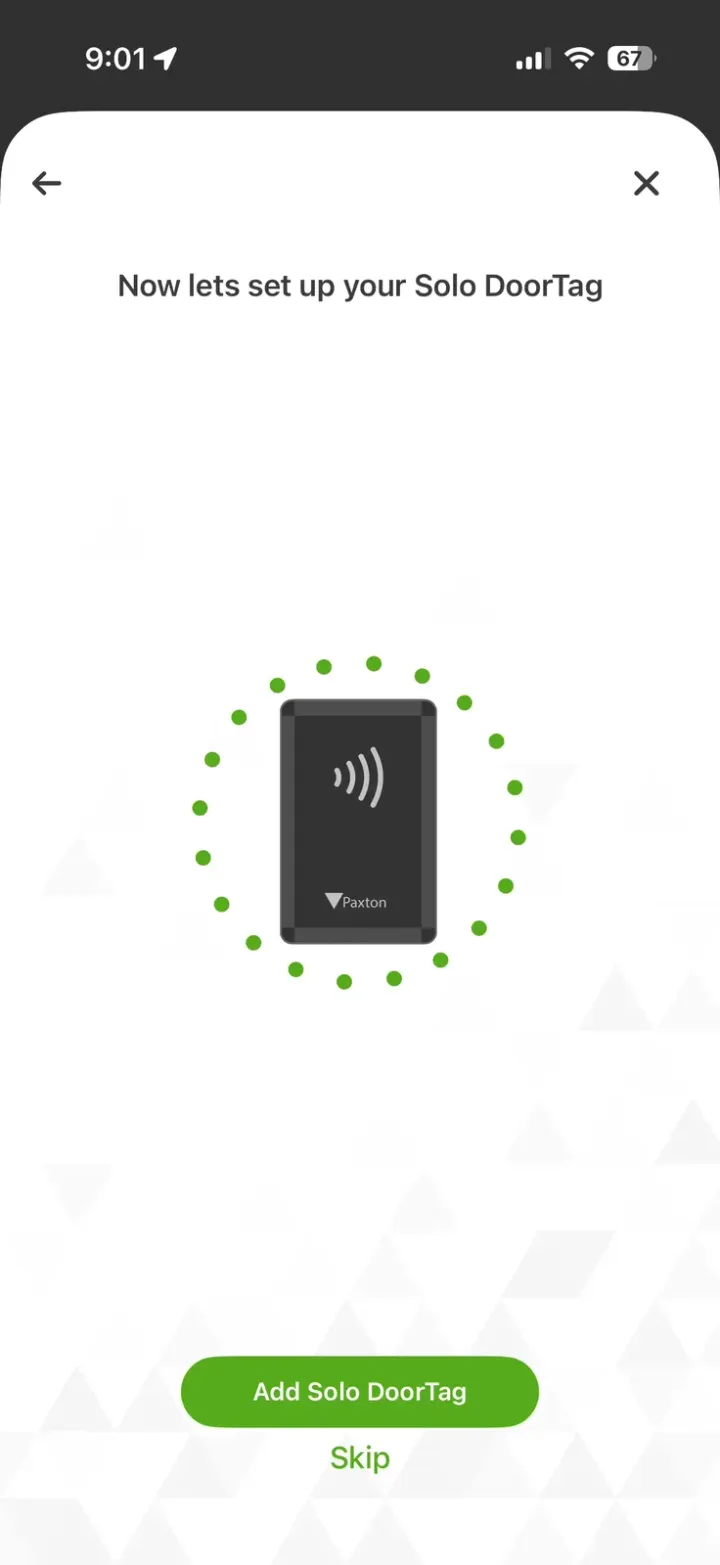
OK so this is the part everyone asks about. How does the tag on the wall work with zero batteries and zero wires?
The answer is NFC energy harvesting. Here's the sequence:
- You hold your phone against the tag
- Your phone's NFC antenna creates an electromagnetic field (13.56 MHz)
- A tiny antenna coil inside the tag captures energy from that field — just like a wireless phone charger, but at much lower power
- That harvested energy powers a small NFC chip inside the tag
- The chip transmits an encrypted identifier back to your phone
- Your phone uses Bluetooth to send that credential + its own Passkey to the Solo controller
- The controller verifies everything and fires the relay
This is the same principle behind contactless credit cards — your Visa tap-to-pay card has no battery either. The payment terminal's NFC field powers the card chip. Paxton just flipped it around for access control.
The genius is in the simplicity. The tag has no moving parts, no battery to die, no wires to cut. It cant be jammed or spoofed easily because the NFC communication is encrypted and the credential validation happens on the controller side. Even if someone cloned the tag somehow, they'd still need a registered phone with a valid mobile credential to complete the handshake.
The Full Unlock Sequence Visualized
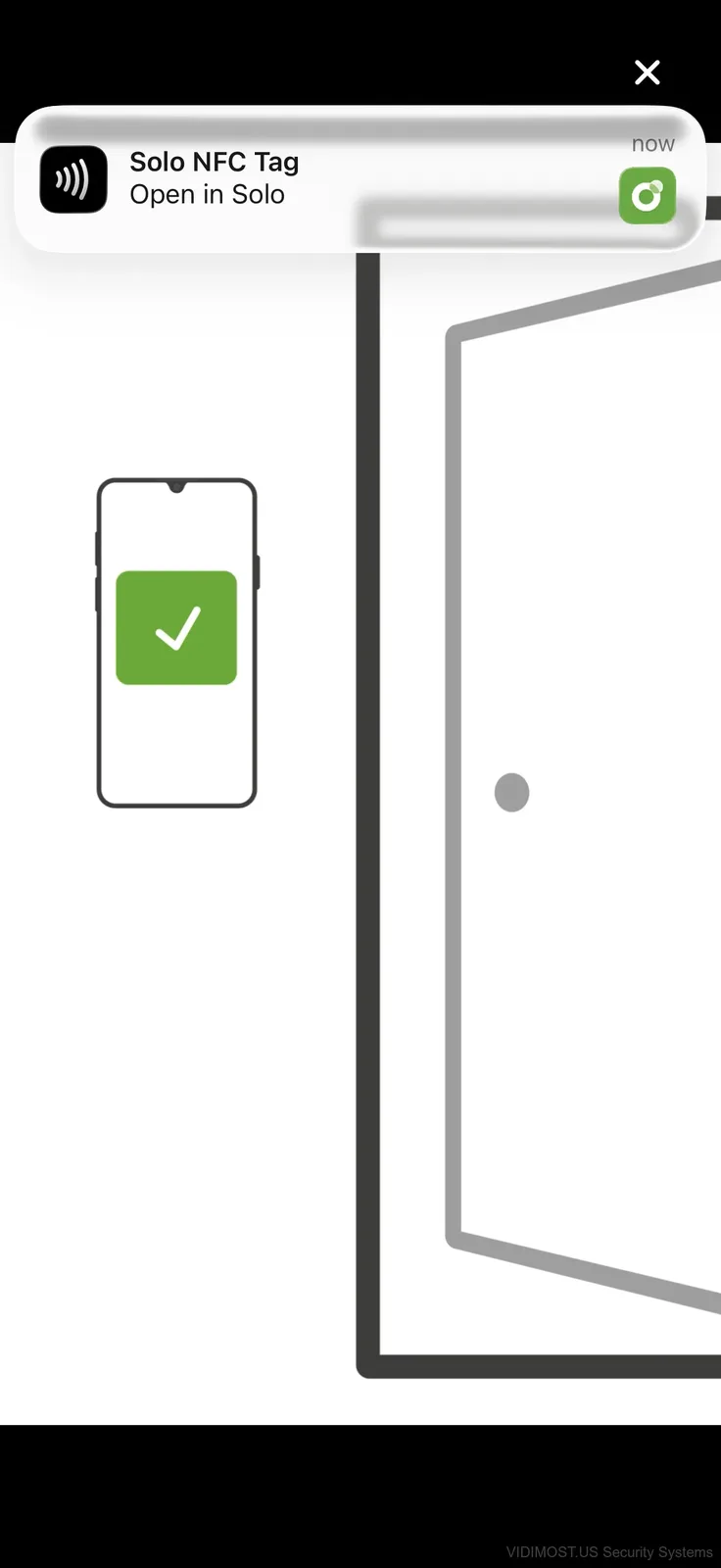
Let me walk through what happens in those 2 seconds when you tap your phone:
- Phone NFC field activates the tag (50ms)
- Tag sends encrypted ID to phone (100ms)
- Phone opens BLE connection to controller (200-500ms)
- Phone sends tag ID + user credential to controller
- Controller validates against stored permissions (50ms)
- Controller fires relay for configured unlock duration
- Phone shows green checkmark and door animation
Total time: roughly 1-2 seconds from tap to unlock. In practice it feels instant — you hear the lock click before the animation finishes on your phone.
The beauty of this architecture is that steps 2-6 happen entirely locally. No cloud server involved. No internet needed. Your phone talked to the tag (NFC), then talked to the controller (Bluetooth), and the controller opened the door. Paxton's cloud only syncs in the background for user management and audit logs.
The Board Under the Microscope
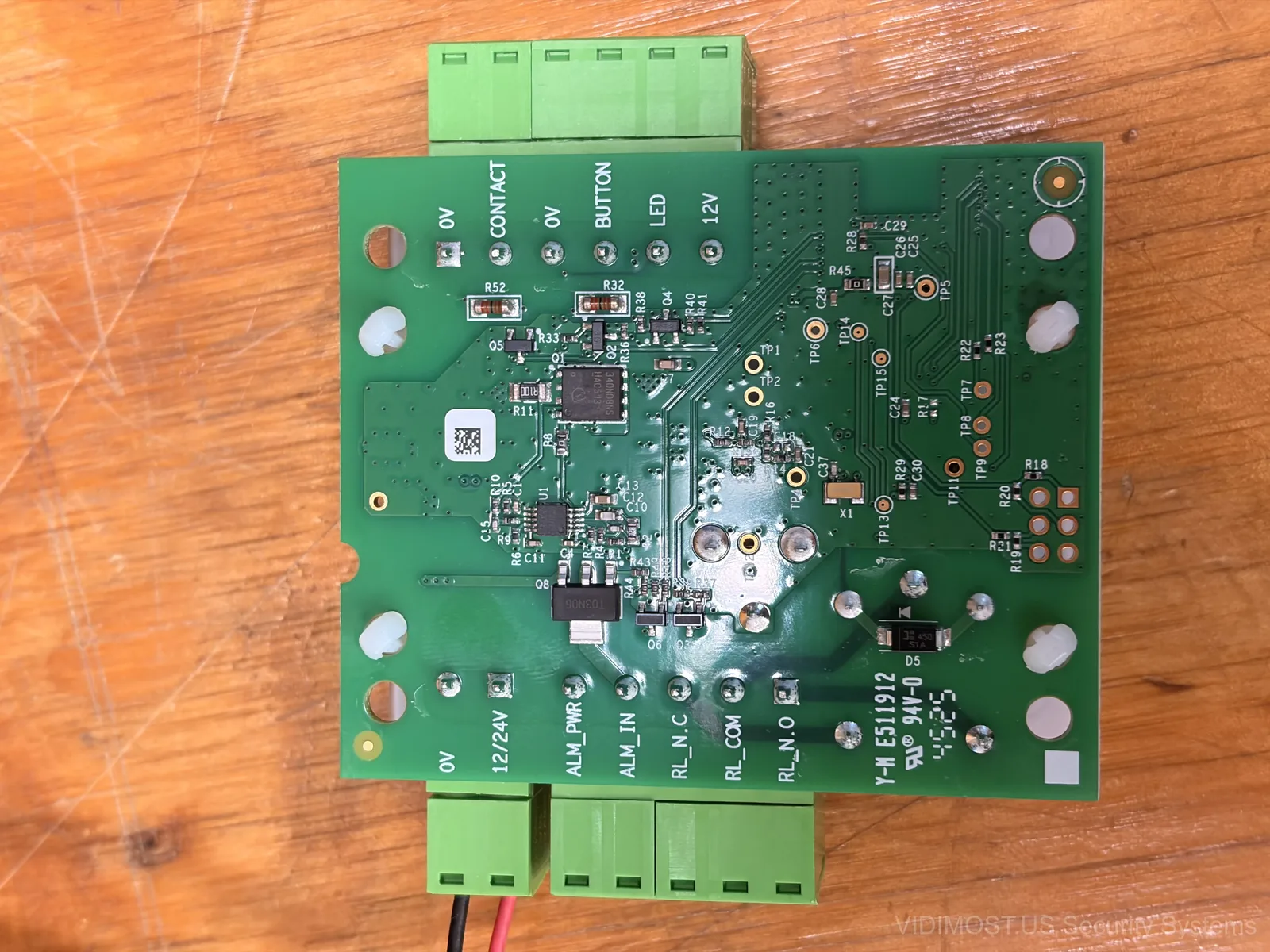
A few more observations from poking around the board:
- The board revision is marked Y-M E511912 — suggesting this is a relatively recent design
- Power regulation accepts 12-24V DC input with proper reverse polarity protection
- Test points (TP1-TP11) are clearly labeled — Paxton designed this for serviceability
- The relay is a standard miniature PCB relay rated for 10A — plenty for any lock
- Board-to-board connectors suggest this might share a platform with other Paxton products
Overall build quality is solid. This isnt a cheap Chinese board with flux residue everywhere — its a properly manufactured PCB from a company thats been making access control hardware for 40 years.
Bottom Line: Smart Engineering for a Simple Product
Paxton could have over-engineered Solo with WiFi, a color LCD, and seventeen features nobody needs. Instead they picked three proven technologies — NFC, Bluetooth Low Energy, and a clean relay output — and made them work together elegantly.
The component choices (Silicon Labs for BLE, NXP for timekeeping, Infineon for power switching) are all tier-one semiconductor vendors. No mystery chips, no unmarked modules. Everything on this board has a public datasheet you can look up.
For a $100 controller thats honestly impressive. If you're the type who cares about whats inside the box before you mount it on a wall — Solo earns respect at the component level.
Next up: I'll cover the Solo app setup process and user management. Stay tuned.
Interested in Paxton access control for your Chicago property? We design, install, and support Paxton Solo and Net2 systems across Chicagoland.
Comments ()