HID Signo 20 Reader Installation Review: Wiring, Mounting, and Field Notes
A practical installation review of the HID Signo 20 access control reader from Vidimost LLC, a Chicago-area security systems company. Includes mounting notes, wiring color codes, Wiegand and OSDP connection options, tamper wiring, and field tips for clean access control installations.
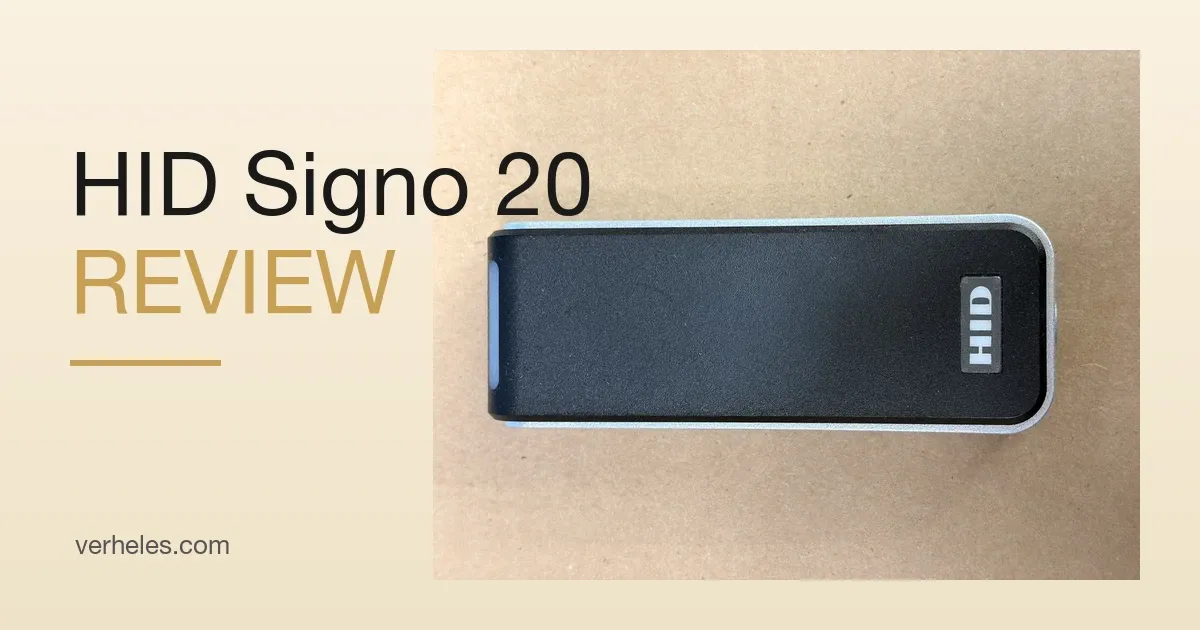
The HID Signo 20 is a compact access control reader designed for doors, gates, elevators, office entrances, residential buildings, and commercial security systems. It has a slim mullion-style body, which makes it a good fit for narrow door frames where a larger reader would not look clean or may not physically fit.
At Vidimost LLC, we work with access control, video surveillance, intercoms, and business networking systems for commercial and residential properties in the Chicago area. As an installer, I like the HID Signo 20 because it is compact, professional-looking, and flexible enough for both retrofit and modern access control projects.
In this article, I want to show a practical field look at the HID Signo 20 reader: how it mounts, what the wires are used for, and what to pay attention to during installation.
This is not a replacement for the official HID installation manual. Always confirm the final wiring with the access control panel documentation and the project specification. But for technicians, building engineers, property managers, and business owners, this overview gives a clear explanation of what each wire does and how this reader is typically installed.
What Is the HID Signo 20?
The HID Signo 20 is part of HID’s modern Signo reader family. It is commonly used in professional access control systems and can support multiple credential technologies depending on the exact model and configuration.
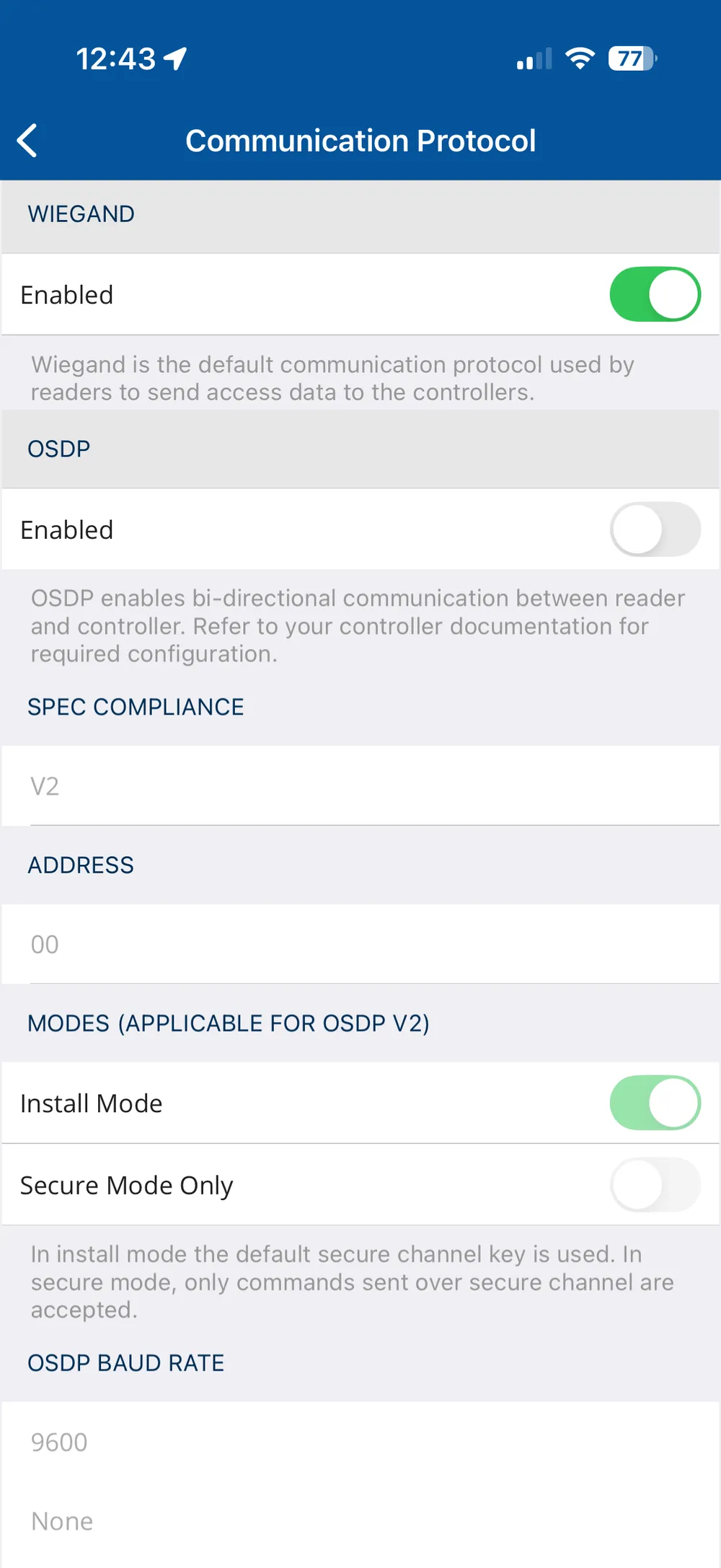
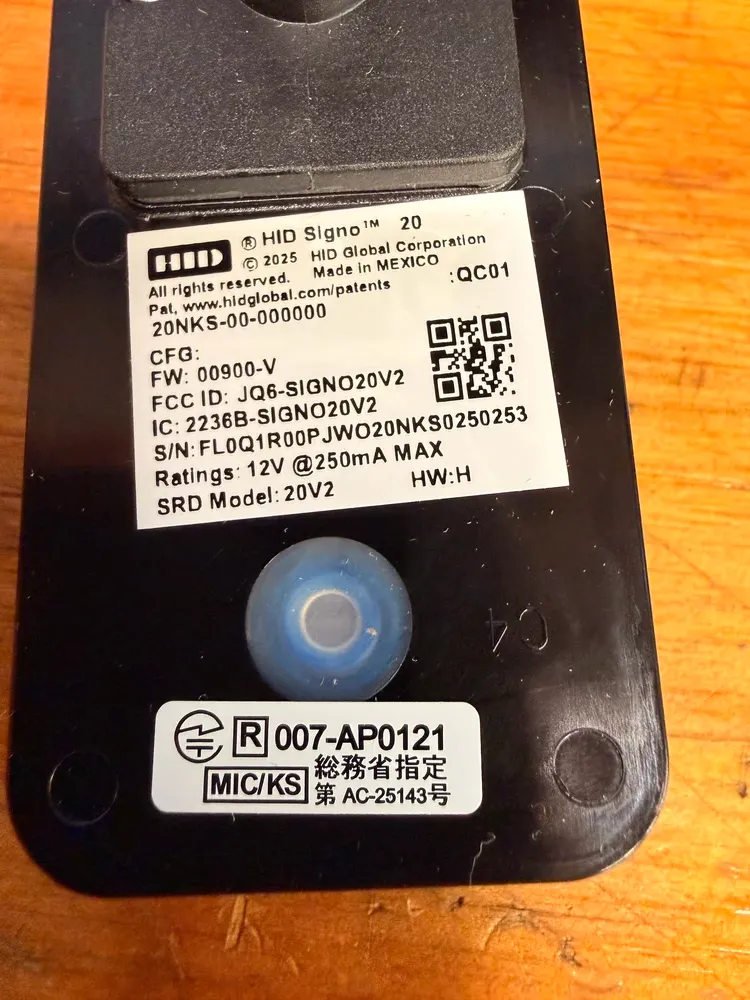
The reader shown here is labeled:
Model: HID Signo 20
Part number: 20NKS-00-000000
SRD Model: 20V2
FCC ID: JQ6-SIGNO20V2
Power rating: 12V DC, up to 250 mA max
Outdoor rating: IP65, suitable for outdoor use
The reader has a factory pigtail cable with multiple conductors. This allows the same reader to be used in different wiring configurations, including Wiegand and OSDP / RS-485, depending on the access control panel and system design.
For Chicago access control installations, this type of reader is commonly used on office doors, condo entrances, warehouse doors, commercial tenant spaces, parking areas, and controlled building entrances.
First Look at the Reader
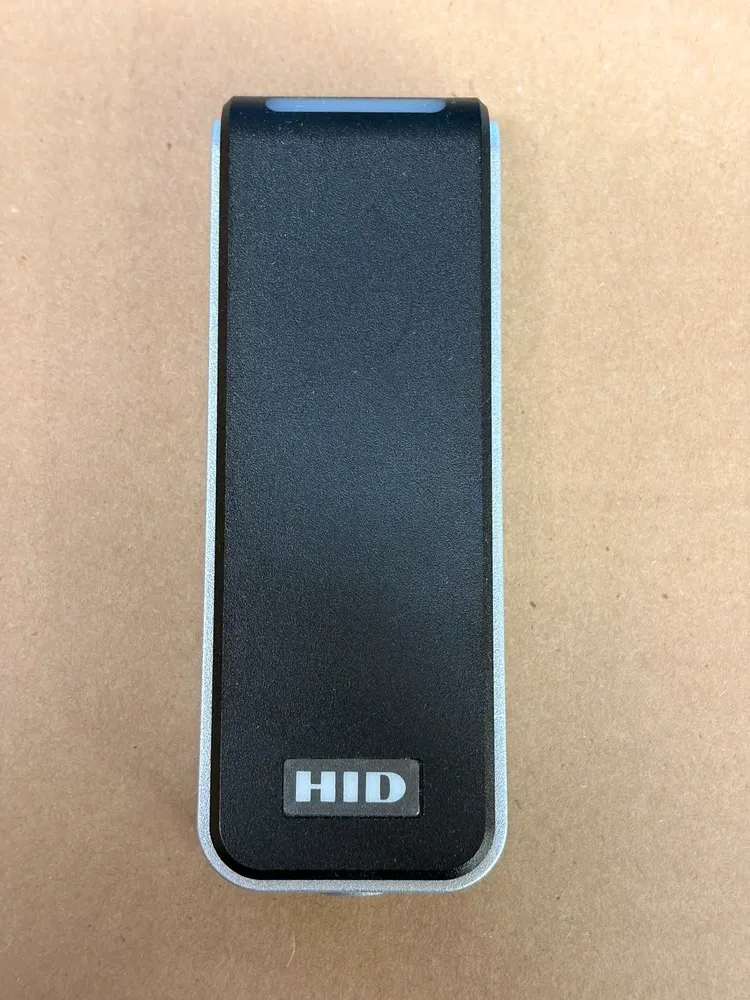
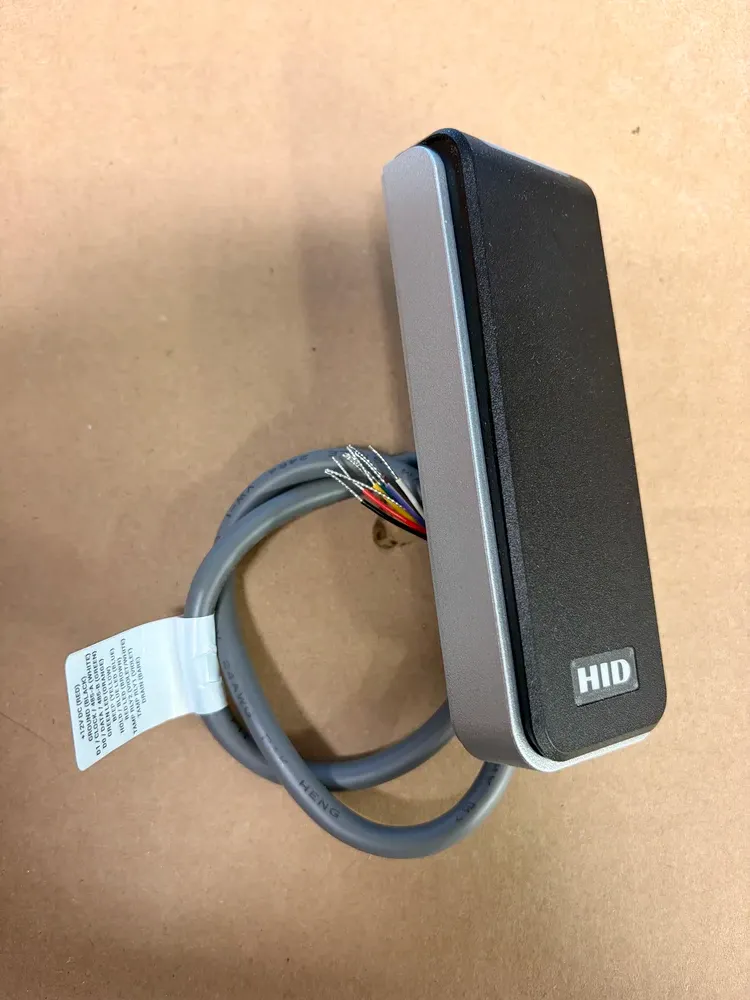
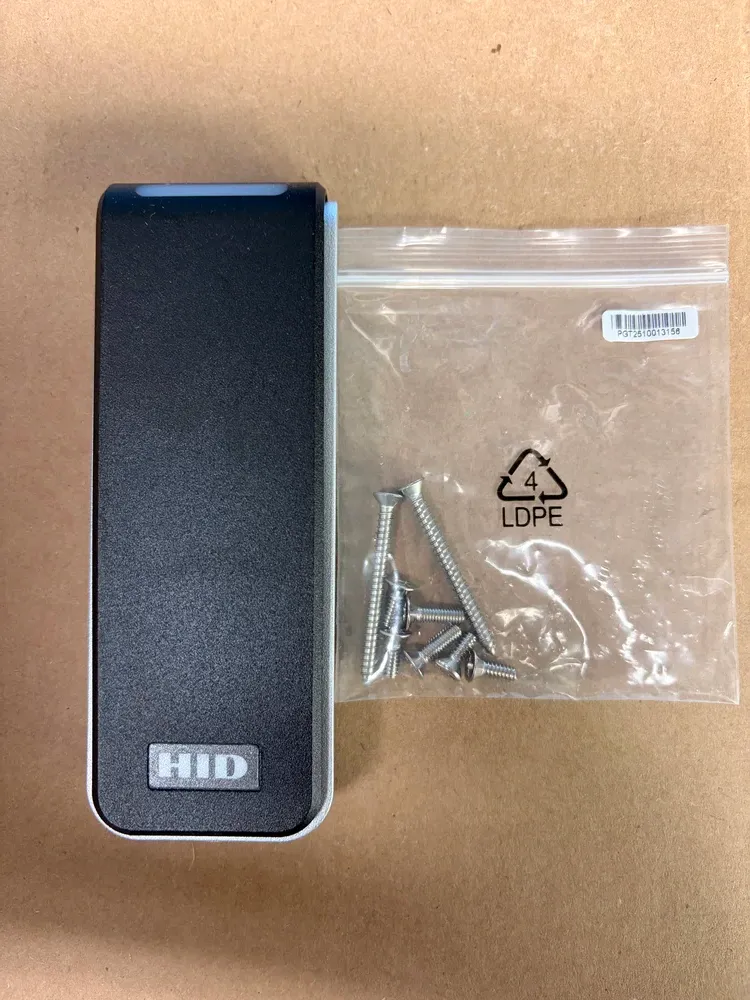
The HID Signo 20 has a clean black front face with the HID logo near the bottom. The body has a slim vertical shape, making it ideal for door frames, mullions, and narrow mounting locations.
On the back of the reader, there is a clear marking:
TOP OF READER
This is important. The reader should be mounted in the correct orientation, with the arrow pointing up. Correct orientation helps with proper appearance, cable routing, LED visibility, and expected read performance.
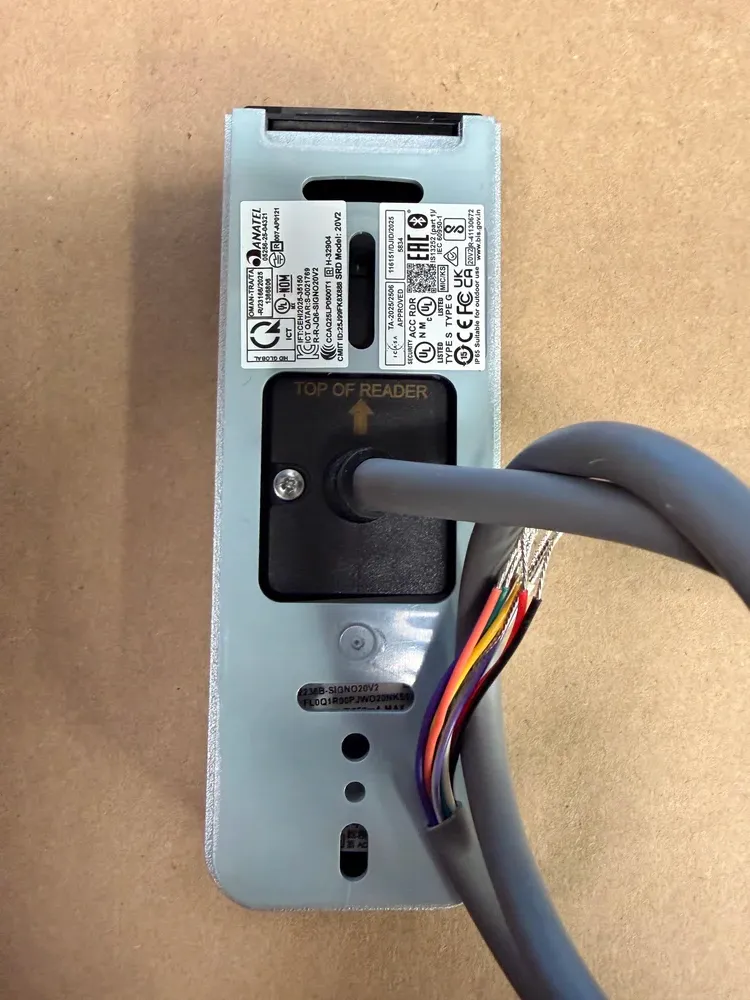
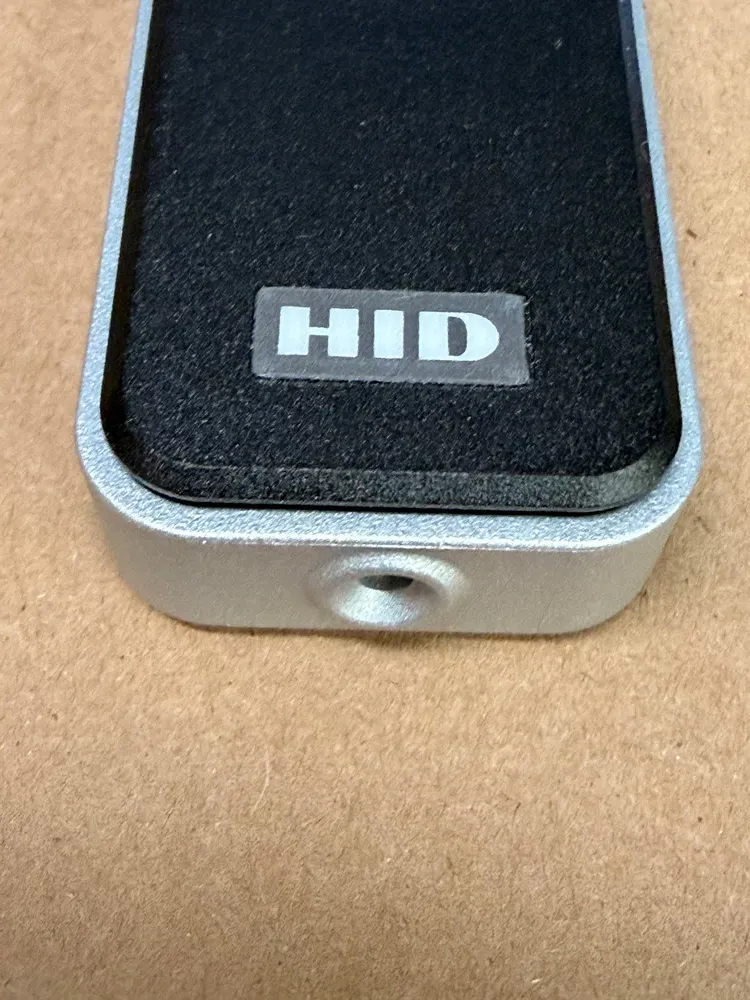
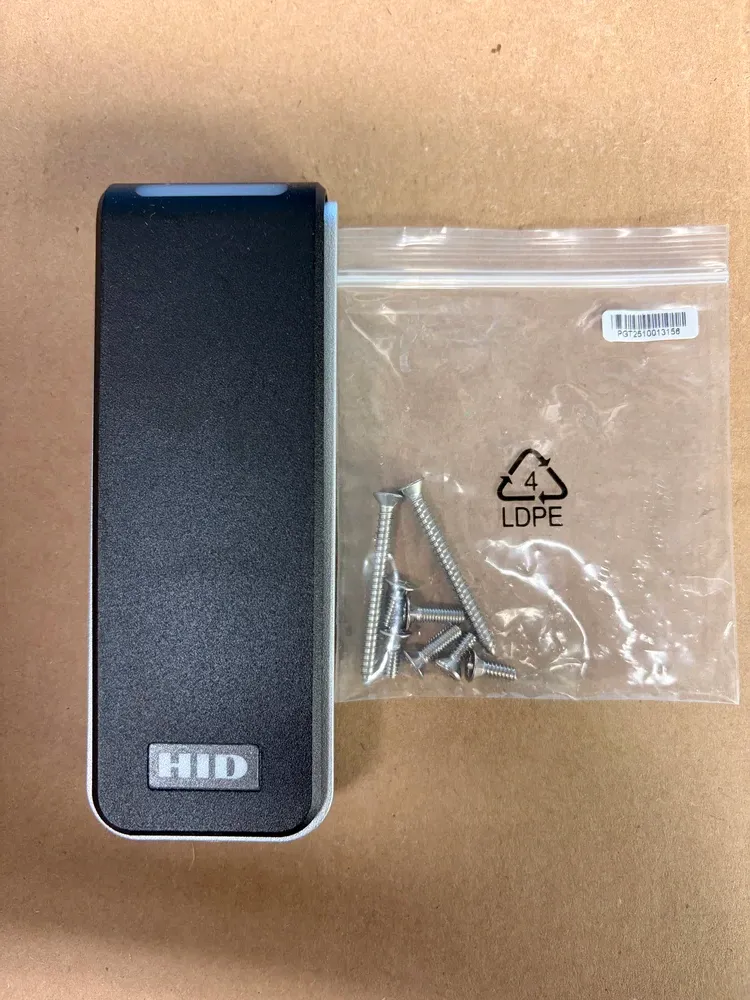
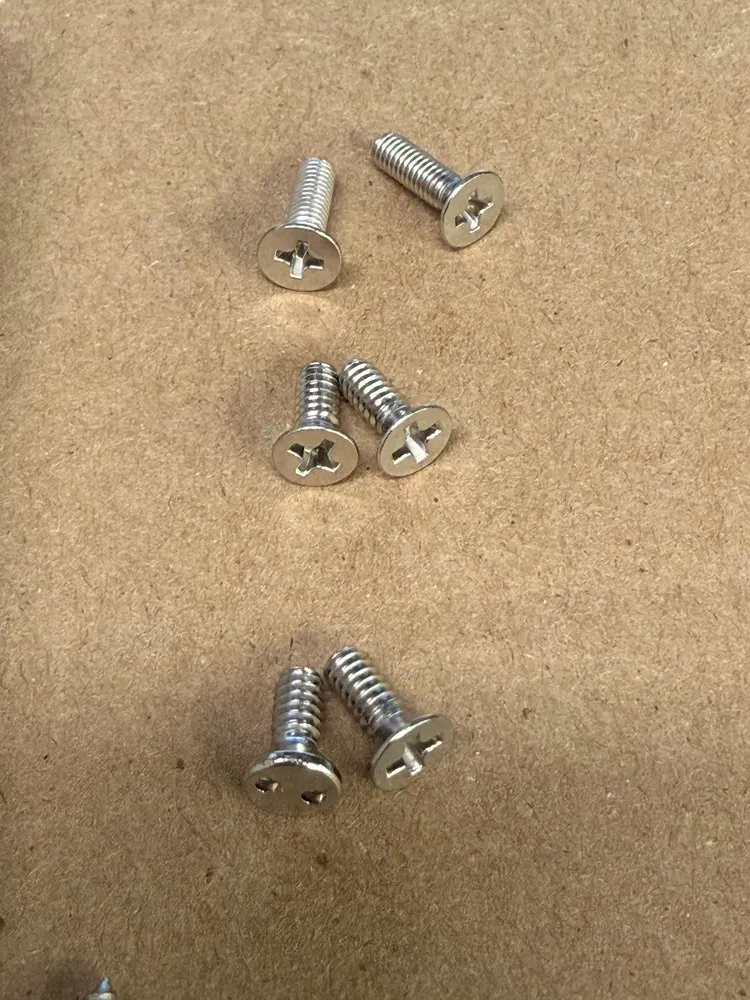
The reader includes a rear mounting base and security screws. One of the screws is used to lock the reader body onto the mounting plate so it cannot be easily removed by hand.
From an installer’s point of view, this reader has a clean and serviceable design. It is compact enough for tight door frames but still feels solid and professional after installation.
Where This Reader Is Typically Installed
The HID Signo 20 is commonly used for:
Office doors
Main building entrances
Residential building access
Condo and HOA entrances
Elevator access systems
Parking and garage access
Mechanical and electrical rooms
Commercial tenant spaces
Front desk access control systems
Warehouse and industrial doors
Retail back-of-house doors
Shared tenant spaces
Because it has an IP65 outdoor rating, it can be used outdoors when installed correctly. However, outdoor installation still requires good field practice: proper cable protection, sealed wall penetrations, correct mounting surface preparation, and protection from water entering through the cable path.
In the Chicago area, exterior readers also need to be installed with weather in mind. Cold winters, rain, snow, salt, and temperature changes can expose weak installation practices very quickly. A good access control installation is not only about choosing the right reader. It is also about cable routing, sealing, mounting hardware, grounding, and long-term serviceability.
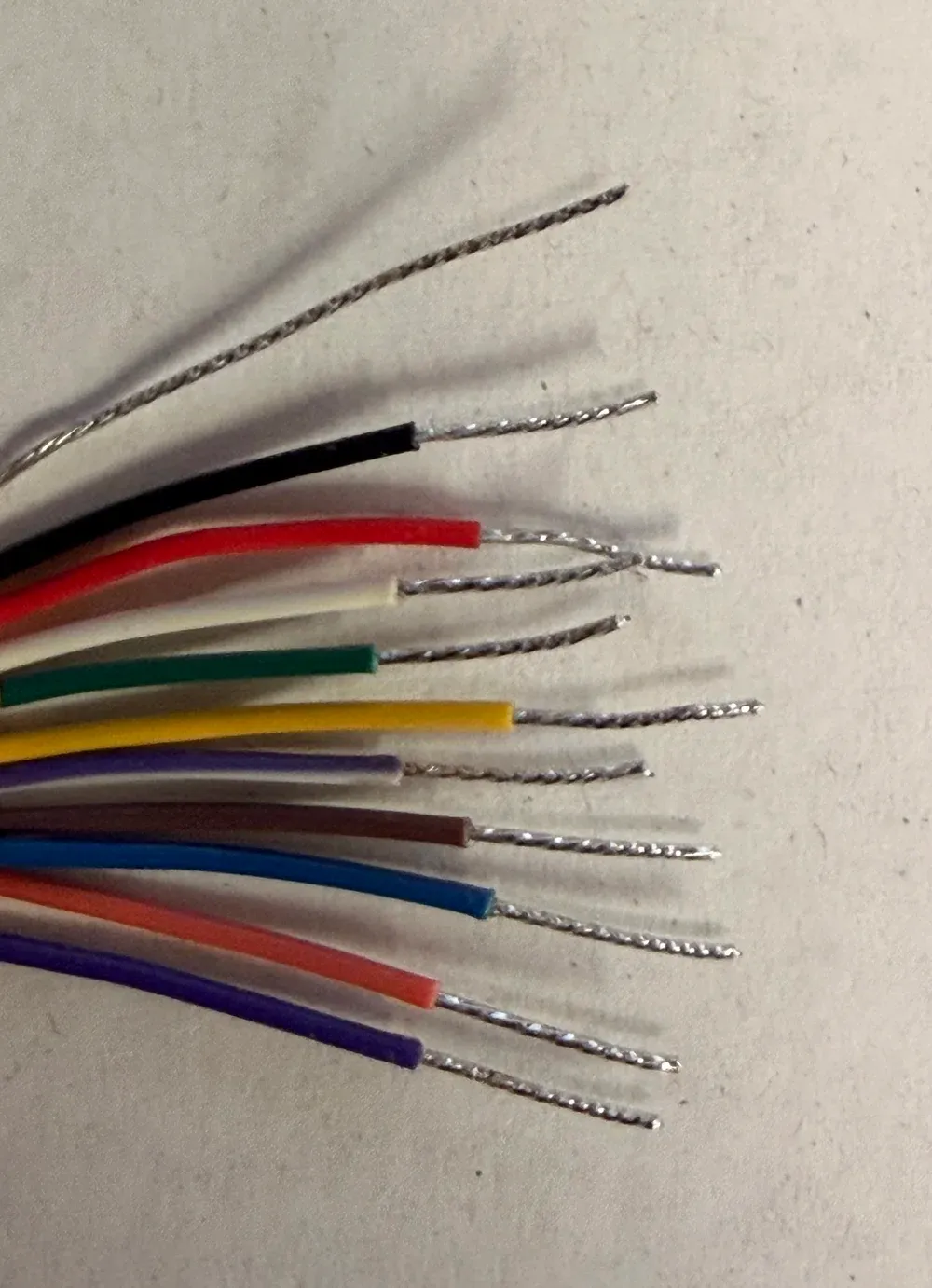
HID Signo 20 Wire Color Code
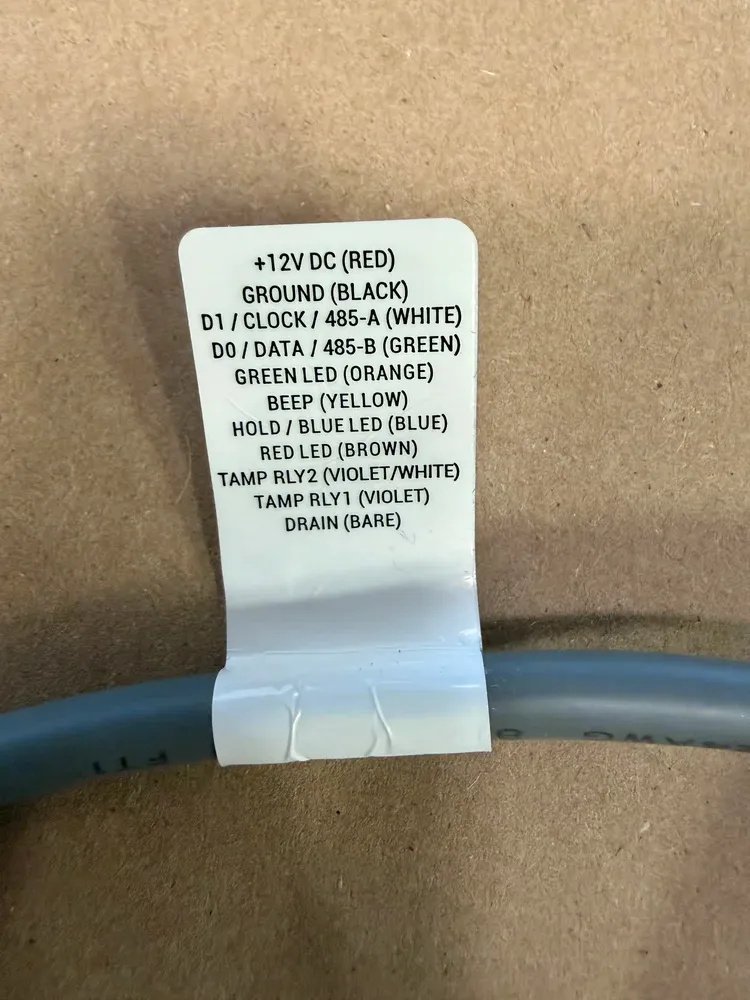
The reader has a wiring label attached to the cable. This label is very useful because it shows the purpose of each conductor.
| Wire Color | Function |
|---|---|
| Red | +12V DC |
| Black | Ground |
| White | D1 / Clock / RS-485 A |
| Green | D0 / Data / RS-485 B |
| Orange | Green LED |
| Yellow | Beeper |
| Blue | Hold / Blue LED |
| Brown | Red LED |
| Violet / White | Tamper Relay 2 |
| Violet | Tamper Relay 1 |
| Bare | Drain / Shield |
This is one of the most important parts of the installation. Before terminating the cable, always confirm the wiring label on the reader itself. Some readers or project configurations may vary, and the access control panel may label terminals differently.
Basic Wiegand Wiring
For a traditional Wiegand connection, the main wires are:
| HID Signo Wire | Panel Terminal |
|---|---|
| Red | +12V |
| Black | GND |
| White | D1 |
| Green | D0 |
This is the basic connection used on many older and existing access control systems.
Additional wires may be used for LED and beeper control if the panel supports them:
| Wire | Function |
|---|---|
| Orange | Green LED |
| Brown | Red LED |
| Yellow | Beeper |
| Blue | Hold / Blue LED |
In many installations, not all LED and beeper wires are used. If they are not needed, they should be individually insulated and left disconnected. Do not twist unused conductors together.
Wiegand is still very common in retrofit access control projects around Chicago because many older buildings already have Wiegand readers and compatible wiring. For a quick replacement or upgrade, Wiegand may be the easiest path. But for new systems, OSDP is usually a better long-term choice.
Basic OSDP / RS-485 Wiring
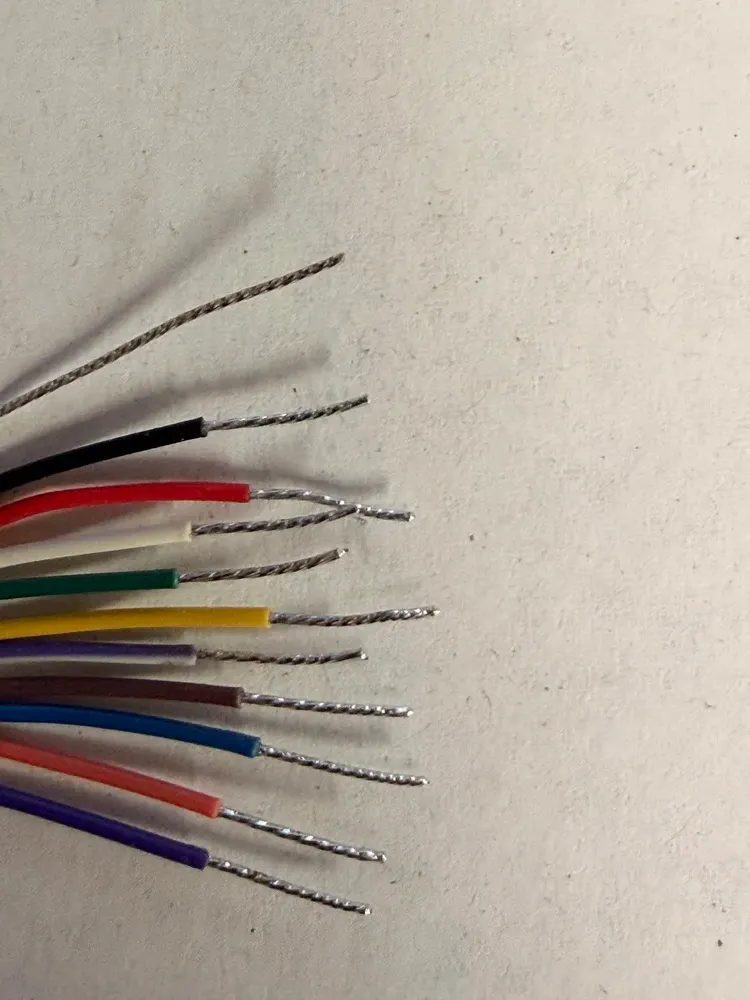
For OSDP, the reader uses RS-485 communication. The important wires are:
| HID Signo Wire | OSDP / RS-485 Function |
|---|---|
| Red | +12V DC |
| Black | Ground |
| White | RS-485 A |
| Green | RS-485 B |
| Bare | Drain / Shield |
The label on this reader shows:
White = 485-A
Green = 485-B
That means the normal connection should be:
White to A
Green to B
However, in the real world, RS-485 A/B labeling is sometimes inconsistent between manufacturers. Some panels label A and B opposite from what another manufacturer expects. If the reader powers up but does not communicate, check the reader mode, OSDP address, baud rate, secure channel settings, and then verify whether A/B may need to be swapped at the controller side.
For modern Chicago access control installations, OSDP is especially useful when the building owner wants better security, reader supervision, and a more future-ready system.
Wiegand vs OSDP: Which One Should You Use?
For new installations, OSDP is usually the better choice if the access control panel supports it.
Wiegand is simple and widely supported, but it is an older one-way communication method. The reader sends data to the panel, but the panel has limited ability to communicate back to the reader.
OSDP is more modern. It supports two-way communication, reader supervision, better diagnostics, and secure communication when OSDP Secure Channel is enabled.
For a professional access control system, especially in commercial buildings, residential towers, offices, warehouses, and managed properties, OSDP is a better long-term standard.
At Vidimost LLC, we prefer to design new access control systems with long-term serviceability in mind. That usually means choosing equipment and wiring methods that support modern protocols, clean documentation, and easier troubleshooting in the future.
Tamper Relay Wiring
The HID Signo 20 includes tamper wiring:
| Wire | Function |
|---|---|
| Violet | Tamper Relay 1 |
| Violet / White | Tamper Relay 2 |
The tamper relay can be used to notify the access control system if someone removes the reader from the wall or mounting plate.
If the access control panel has a tamper input, these two wires can be connected to that input. If tamper monitoring is not used, the wires should be insulated separately and left disconnected.
For higher-security installations, I prefer to use tamper monitoring when the panel and wiring design allow it. It gives the system more visibility and can help detect physical reader manipulation.
Drain Wire and Shielding
The bare wire is the drain wire. It is connected to the cable shield and helps reduce electrical noise.
In many access control installations, the drain wire is connected to shield or ground on the panel side only. This helps reduce the chance of a ground loop. The exact method depends on the access control panel, cable type, grounding system, and manufacturer recommendations.
For OSDP / RS-485 installations, good cable practice matters more than with short Wiegand runs. A twisted pair for data and proper shielding can make communication more reliable, especially in electrically noisy buildings.
This is one area where professional installation matters. Access control readers often look simple from the outside, but poor cable choices, weak terminations, or missing shielding practices can create intermittent problems that are difficult to troubleshoot later.
Mounting Notes
Before mounting the reader, check the surface. The reader should sit flat against the mounting surface. If the wall or door frame is uneven, the reader may not seat properly on the base.
The reader has a “TOP OF READER” marking on the back. Follow that orientation during installation.
The cable should be routed carefully through the center opening or wall penetration. Avoid sharp bends, pressure points, or pinching the cable between the reader and the mounting surface.
The bottom screw is important. It secures the reader body to the mounting base and helps prevent casual removal.
When installing outdoors, pay special atten
tion to the cable entry point. The reader may be outdoor-rated, but water can still travel through a wall opening or conduit path if the installation is not sealed correctly.
For Chicago-area installations, I also pay attention to freeze-thaw cycles, exposed masonry, metal door frames, and exterior conduit paths. A reader may work perfectly on day one, but the real test is whether it continues to work reliably through winter, rain, and daily use.
Important Installation Tips
Do not connect the reader to 24V unless the specific model and documentation allow it. This reader label shows 12V DC @ 250 mA max.
Do not connect unused wires together. Cap or tape them individually.
Do not assume Wiegand and OSDP wiring are the same at the panel. The same white and green wires are used, but the panel terminals and configuration are different.
Do not forget to configure the reader in the access control software. For OSDP, this may include reader address, communication mode, baud rate, and secure channel settings.
Do not mount the reader on metal without considering read range. Metal surfaces can affect performance. Depending on the site, a spacer or proper mounting adapter may be needed.
Document the installation. Label the cable, note the reader location, record the panel input, and keep the configuration information available for future service.
Practical Field Wiring Summary
Minimum Wiegand Connection
Red → +12V
Black → Ground
White → D1
Green → D0
Optional:
Orange → Green LED
Brown → Red LED
Yellow → Beeper
Blue → Hold / Blue LED
Minimum OSDP Connection
Red → +12V
Black → Ground
White → RS-485 A
Green → RS-485 B
Bare → Shield / Drain
Optional:
Violet and Violet/White → Tamper input
About Vidimost LLC
Vidimost LLC is a Chicago-area security systems company focused on access control, video surveillance, video intercoms, and business networking.
My name is Vitalii Vergeles, and I work with security systems, access control, IP cameras, intercoms, and network infrastructure. My background includes many years of experience with security equipment, system design, installation, troubleshooting, and support.
For me, a good access control installation is not just about attaching a reader to the wall. It is about designing a system that is reliable, serviceable, secure, and understandable for the people who manage the building.
Vidimost LLC works with commercial properties, small and medium businesses, condo buildings, HOAs, residential buildings, offices, and properties that need clean and dependable security system installations in the Chicago area.
Final Thoughts
The HID Signo 20 is a professional, compact, and modern access control reader. It is a good choice for doors where appearance, reliability, and long-term compatibility matter.
For simple retrofit projects, it can often be wired using Wiegand. For new installations, I would usually recommend OSDP when the access control panel supports it. OSDP gives better communication, better diagnostics, and a more secure path forward.
The most important part of the installation is careful wiring. Always check the label, verify the panel terminals, confirm the reader configuration, and test the reader before closing the wall or finishing the installation.
A clean reader installation is not only about making the device work. It is also about making the system serviceable, secure, and reliable for years.
Comments ()