Power over Ethernet (PoE) for Cameras, Wi-Fi, and Access Control
A practical guide to Power over Ethernet (PoE): standards (802.3af/at/bt), real-world wattage, switch power budgets, cable distance limits, and how to choose PoE for cameras, Wi-Fi, and access control.

If you’re installing security cameras, UniFi access points, VoIP phones, or access control in a home or small business, PoE (Power over Ethernet) is one of the cleanest and most reliable ways to power devices—using the same network cable that carries data.
But PoE has standards, power limits, and compatibility rules. In this guide, I’ll explain PoE types (802.3af/at/bt), how many watts you can actually deliver, and how to choose the right PoE switch or injector for your project.
What Is PoE?
PoE allows a network cable (usually Cat5e/Cat6) to deliver:
- Data (Ethernet)
- Power (DC voltage)
That means you can power a camera or access point with one cable, which saves time, improves reliability, and makes battery/AC adapters unnecessary at the device location.
The 4 Main PoE Standards (and What They Mean)
PoE is governed by IEEE standards. Here’s the simplified view:
1) IEEE 802.3af — “PoE”
- Max at switch port: 15.4W
- Guaranteed at device: ~12.95W
- Typical use: basic VoIP phones, small sensors, simple cameras
2) IEEE 802.3at — “PoE+”
- Max at switch port: 30W
- Guaranteed at device: ~25.5W
- Typical use: most modern Wi-Fi access points, IR cameras, intercoms
3) IEEE 802.3bt Type 3 — “PoE++” (often called 60W PoE)
- Max at switch port: 60W
- Guaranteed at device: ~51W
- Typical use: powerful APs, multi-sensor cameras, some access hardware, small displays
4) IEEE 802.3bt Type 4 — “PoE++” (often called 90W PoE)
- Max at switch port: 90–100W (standard is 90W at PSE)
- Guaranteed at device: ~71–73W
- Typical use: PoE lighting, thin clients, large intercoms, mini PCs, specialty devices
Important: The “at device” numbers are lower because power is lost as heat in the cable (especially at longer distances).
Passive PoE vs. Standard PoE (Huge Difference)
Standard (Active) PoE: 802.3af/at/bt
- The switch/injector negotiates power with the device
- If the device isn’t PoE-capable, it usually won’t get powered
- Safer and recommended for most installs
Passive PoE (Common in older gear)
- Sends a fixed voltage (often 24V or 48V) without negotiation
- Can damage equipment if used incorrectly
- Still exists in some ecosystems and legacy deployments
Recommendation: For modern installs, stick to IEEE 802.3af/at/bt whenever possible.
How Far Can PoE Run?
Standard Ethernet max is 100 meters / 328 feet (including patch cords).
In real installs:
- Cat6/Cat6A helps reduce voltage drop
- Avoid cheap copper-clad aluminum (CCA) cable
- For long runs and high-power devices, cable quality matters a lot
If you need more distance:
- Use a PoE extender
- Use fiber + a PoE switch at the far end
- Or place an intermediate switch
PoE Power Budget: The #1 Mistake People Make
A PoE switch has:
- Per-port max (e.g., PoE+ up to 30W per port)
- Total PoE budget (e.g., 120W across all ports)
Example:
- You have an 8-port PoE+ switch (30W per port)
- The switch budget is 120W total
- You can’t run eight 25W devices at once (that would be 200W)
Quick PoE Budget Method
- List each device’s max PoE watts
- Add 20–30% headroom
- Make sure the switch PoE budget covers it
Which PoE Do You Need? (Common Devices)
Security Cameras
- Typical dome/bullet: 7–12W (PoE)
- IR + heater or PTZ: 15–30W (PoE+)
- Multi-sensor / advanced PTZ: PoE++ (Type 3 or 4)
Wi-Fi Access Points
- Many modern APs: PoE+
- High-end Wi-Fi 6/6E/7 models: often PoE+, sometimes PoE++ (depends on features)
Video Intercoms / Door Stations
- Often PoE+ (especially with relay modules, cameras, and illumination)
Access Control Panels & Readers
- Readers often low power, but full door hardware systems can climb quickly
- Some controllers/intercoms benefit from PoE+ for stability
PoE Injectors vs. PoE Switches
PoE Injector (good for 1 device)
Choose an injector when:
- You only need to power one AP or one camera
- You already have a non-PoE switch
PoE Switch (best for clean multi-device installs)
Choose a PoE switch when:
- You have multiple cameras/APs/phones
- You want centralized power + UPS backup
- You want professional cable management
Pro tip: If you back up a PoE switch with a UPS, your cameras and Wi-Fi can stay up during short outages.
PoE and UPS: Reliability Matters
For security and access control, this is critical:
- A PoE switch + UPS keeps cameras and network online
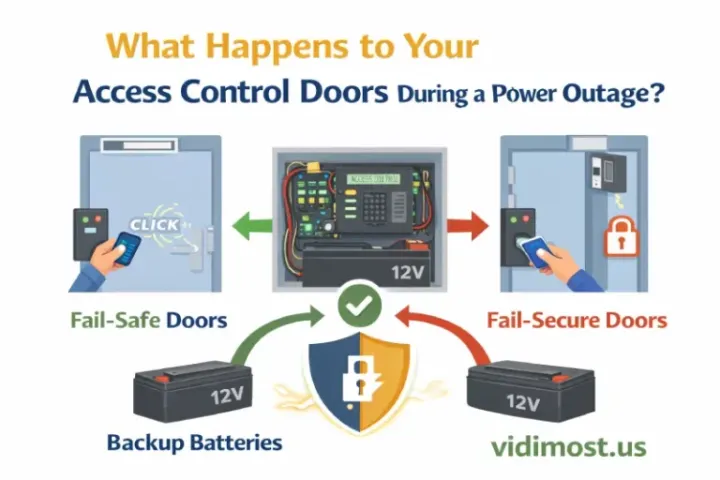
- For door systems, the lock type matters:
- Maglocks require continuous power (power loss = unlock)
- Electric strikes may behave differently depending on fail-safe/fail-secure configuration
A professional design includes:
- PoE power planning
- UPS sizing
- Proper lock and life-safety behavior
FAQ
Is PoE safe for my devices?
Yes—if you use IEEE 802.3af/at/bt. Avoid passive PoE unless you know exactly what you’re doing.
Do I need Cat6 for PoE?
Cat5e works for most PoE installs. Cat6/Cat6A is better for longer runs and higher-power devices.
Can I mix PoE and PoE+ devices on the same switch?
Yes. The switch negotiates per device (with standard PoE).
Why does my PoE camera reboot at night?
Common causes: insufficient PoE budget, voltage drop on long cable runs, poor cable quality, or IR/heater increasing power draw.
What’s the simplest rule for choosing PoE?
If you’re unsure, use PoE+ as a baseline for modern cameras/APs, and reserve PoE++ for high-power devices.
Need Help Designing a PoE System in Chicago & Suburbs?
A PoE system is only as reliable as the design behind it: correct standards, correct power budget, quality cabling, and proper UPS planning.
If you’re in Chicago, Evanston, Winnetka, Wilmette, Skokie, or nearby suburbs and want PoE done right for Wi-Fi, cameras, intercoms, or access control, I can help you choose the correct switch/injectors and build a clean, professional installation.
Vidimost LLC — Network + Security Systems (Chicago Area)
Website: vidimost.us
Planning PoE for cameras, Wi-Fi, or access control? We design reliable PoE networks—correct switch power budgets, cabling, and PoE troubleshooting for real installs.


Comments ()