Paxton Net2 v7: The "Workhorse" Gets Armor (and Still No Monthly Fees)
Paxton Net2 v7 brings native MFA to Net2 Plus controllers with zero subscription fees. But before you update, beware of hidden risks for third-party integrations. Read Vidimost LLC’s field report on how to upgrade safely without breaking your visitor management or custom scripts.
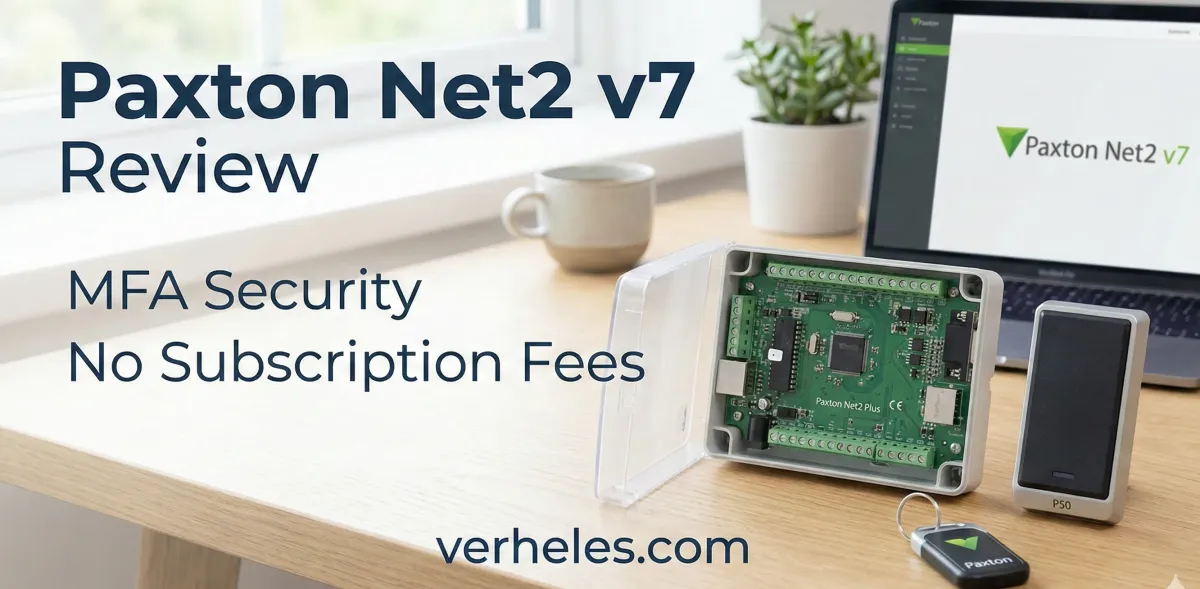
On February 3, 2026, Paxton officially released Net2 Software v7. For us at Vidimost LLC, installing and maintaining systems across Chicago and the North Shore suburbs, this release confirms something important: Net2 is here to stay.
In an industry aggressive about pushing customers toward cloud subscriptions and mandatory licensing fees, Paxton has done something old-school and respectable. They released a major security overhaul (v7) for their existing hardware, and they didn't charge a dime for it.
Here is our field report on what is new, why we love the Net2 Plus controller, and the one confusion regarding Paxton10 that we need to clear up.
1. The Chicago Standard: Why Net2 Plus Dominates
Walk into the electrical closet of almost any commercial building in Chicago—whether it’s a condo in Winnetka or a logistics hub near O'Hare—and you will likely see a Paxton Net2 Plus controller.
These units have been running buildings for years, often over a decade. The release of v7 is a huge win for property managers because it proves you don't need to rip and replace your hardware to get modern security.
- No Recurring Fees: Unlike almost every other competitor today, updating to v7 is free. No annual "software assurance" fees, no "per door" cloud subscriptions. You own the hardware, you own the software.
- Legacy Support: This update brings 2026 security standards (MFA) to controllers that were installed years ago. That is rare in the tech world.
2. What’s New: Native MFA (Finally)
The headline feature is Multi-Factor Authentication (MFA). For buildings with multiple operators—security guards, property managers, and HR staff—this is a massive improvement. It mitigates the risk of shared passwords (the infamous "post-it note on the monitor") and helps organizations meet compliance standards. Even if an admin password is compromised, the intruder cannot access the Net2 server without the second factor.
3. The "Invisible" Benefit: No Retraining Required
Perhaps the most relieved sigh we breathed during testing was regarding the user interface (UI). Despite this being a major version jump (v6 to v7) and a code rewrite under the hood, the Net2 user interface remains visually identical.
- Consistency: Buttons, menus, and reports are exactly where they have always been.
- No Learning Curve: If your security staff knows how to use v6, they already know how to use v7.
- Operational Continuity: You get the security benefits without the downtime associated with retraining staff on a "new look."
4. Clearing the Confusion: Net2 vs. Paxton10
A common question we get from clients is: "Does this update merge my system with Paxton10?"
The answer is No. It is important to understand that Paxton10 is a completely separate product line (combining video and access control) with its own hardware architecture.
- Net2 v7 is dedicated strictly to the Net2 Plus ecosystem.
- They are parallel tracks. Paxton10 is not replacing Net2, and Net2 software cannot manage Paxton10 cameras.
- This release effectively signals that Paxton is committed to supporting the Net2 architecture separately for the long haul, rather than forcing users to migrate to Paxton10.
5. A Warning on Integrations (EntrySign, etc.)
While the software is free, the upgrade requires care if you use third-party integrations. Net2 v7 fundamentally changes how outside software talks to your system (moving from SDK to Web API).
- The Risk: If you use EntrySign kiosks, custom HR scripts, or third-party time & attendance tools, they may stop communicating after the update.
- Our Strategy: At Vidimost LLC, we are currently pausing upgrades for clients with heavy integrations until vendors release v7-compliant patches.
6. Download Net2 v7
If you are an installer or a capable system admin, you can get the latest version directly here. As always, we recommend a full database backup before running the installer.
Official Paxton Download (Latest Version)
This link always points to the most current Net2 software release from Paxton (not a specific version number).
Conclusion
Paxton Net2 v7 is a robust step forward. It keeps the "no-subscription" promise alive while adding necessary cybersecurity layers.
If you are located in Winnetka, Chicago, or the North Shore and want to enable MFA on your existing system without breaking your budget, reach out to us.
Can Vidimost LLC upgrade Paxton Net2 v7 in Chicago?
Yes—Vidimost LLC upgrades Paxton Net2 Plus systems in Chicago and the North Shore. We back up the database, plan a low-traffic maintenance window, update to v7, then verify doors, schedules, events, and operator logins end-to-end with a documented checklist.
What’s the biggest risk when updating Net2 v7 on Net2 Plus?
Integrations. MFA and authentication changes can break third-party apps, scripts, or kiosks. We inventory every integration, confirm vendor readiness, test in a pilot window, and only then roll v7 to production—so visitor flow and access aren’t disrupted.
Do you offer Paxton Net2 troubleshooting for condos and HOAs near Chicago?
Yes. We troubleshoot Net2 Plus controllers, readers, power/PoE, network switches, server health, and user permissions for condos and HOAs. We focus on fast stabilization first, then root-cause fixes—serving Evanston, Wilmette, Winnetka, Skokie, and Chicago.
Can you help with MFA rollout so staff doesn’t get locked out?
Absolutely. We set up MFA with a clear admin policy, enrollment steps, and recovery process for lost phones or staff turnover. We also tune operator roles and document access procedures, so property managers and front desk teams can work smoothly after v7.
Why might Net2 upgrades fail on the server PC?
Common causes include antivirus/EDR interference, missing admin rights, Windows updates pending, or VM quirks. We pre-check OS readiness, temporarily manage AV during install if needed, and keep a rollback plan—reducing downtime and surprise errors, often.
How long does a typical Net2 v7 upgrade take?
It depends on database size, PC speed, and integrations. For many Net2 Plus sites, the upgrade fits a planned maintenance window. Vidimost LLC provides a step-by-step checklist, estimated downtime, and post-upgrade validation so access stays reliable.
Should we upgrade if we use EntrySign kiosks with Net2?
Not until the kiosk vendor confirms full compatibility with Net2 v7 + MFA for your setup. We have EntrySign integration experience and are holding upgrades on kiosk-heavy sites until the developer provides a working path—preventing front desk outages and visitor delays.
Can Vidimost LLC audit my Net2 system before upgrading?
Yes. We perform a Net2 Plus audit: controller inventory, network topology, PoE budget, database health, operator accounts, and integration touchpoints. You get a clear upgrade plan for v7, a risk list, and recommendations to improve stability and security.
Vidimost LLC helps Chicago and North Shore buildings keep Paxton Net2 running reliably. We handle Net2 v7 upgrade planning, backups, safe rollout windows, MFA setup, and post-upgrade verification. We also troubleshoot door issues, controller/network problems, and software login or event reporting issues—fast.
- Net2 v7 upgrades (Net2 Plus) + validation checklist
- MFA rollout plan (admins, enrollment, recovery)
- Integration risk review (kiosks, third-party apps, scripts)
- Net2 troubleshooting: doors, readers, events, server, network/PoE
Comments ()