Why We Standardize on UniFi Cloud Gateways + UniFi PoE Switching for HOA & Commercial Buildings in Chicago
A network-first approach for Chicago HOA buildings: UniFi gateway + PoE switching, VLAN isolation, DHCP reservations, fiber, and optional guest Wi-Fi—built for security systems.
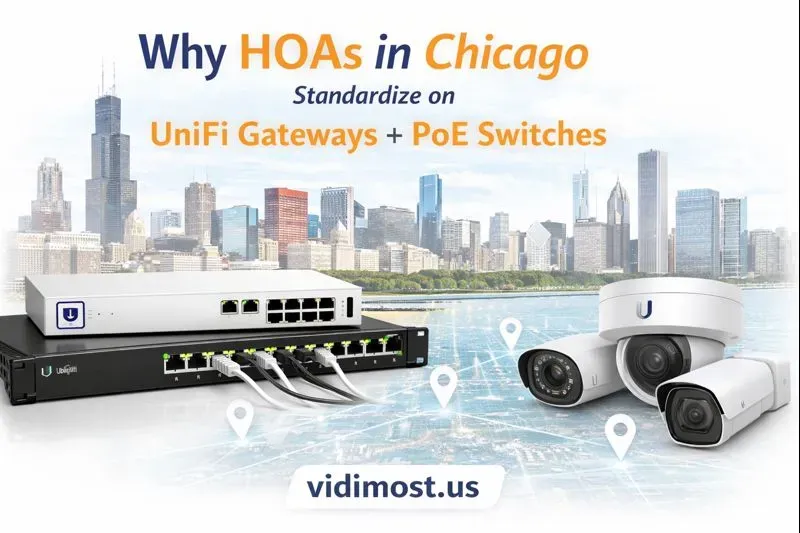
Chicago-area HOA and condo buildings rely on networked security more than ever: IP cameras, intercoms, access control, cloud video, remote monitoring, and tenant/guest connectivity. The truth is simple:
Modern security systems are network systems.
If the network is unstable, underpowered, or poorly segmented, cameras drop offline, intercom audio suffers, access control gets unreliable, and troubleshooting turns into expensive guesswork.
That’s why Vidimost LLC builds most projects around a consistent, proven foundation:
- Ubiquiti UniFi Cloud Gateway (the “brain”: routing, firewall, VPN, monitoring)
- Ubiquiti UniFi PoE Switches (the “muscle”: power + connectivity for cameras, intercoms, controllers, APs)
This standard gives HOA boards, property managers, and building engineers what they want most: reliability, visibility, and faster support—without reinventing the wheel on every site.
The Real Benefits You Get (Not Just “Nice Dashboards”)
1) Remote Network Monitoring That Reduces Downtime
When your gateway and switches are managed in one platform, we can remotely see what’s happening in real time:
- Internet health (latency, packet loss, uptime)
- Device status (online/offline, link speed, port events)
- Bandwidth usage and traffic patterns
- Alerts and event history (useful for proving when issues started)
For HOA and commercial buildings, this is critical because many “camera problems” are actually network problems:
bad cabling, unstable uplinks, power issues, ISP instability, or incorrect VLAN rules.
Remote monitoring lets us diagnose faster—and often fix issues without a site visit.
2) PoE Budget Visibility: Correct Power Planning for Cameras & Devices
Security devices are often PoE-powered:
- IP cameras (PoE / PoE+)
- video intercoms (sometimes higher draw)
- door controllers, readers, and network accessories
- Wi-Fi access points
- PoE extenders and related gear
With UniFi PoE switches we can quickly confirm:
- total PoE budget vs total load
- per-port power draw
- PoE mode and faults
- port stability and link events
This prevents the classic scenario where “everything works… until you plug in the last few cameras” and the PoE budget collapses.
3) Remote Device Reboot (PoE Power Cycle) = Fewer Truck Rolls
Sometimes devices need a restart—especially cameras, access control peripherals, or APs. With managed PoE switching, we can often:
- power-cycle a camera port remotely
- reboot a Wi-Fi AP remotely
- isolate a problematic device quickly
For building managers, this translates directly into fewer emergency calls and less downtime. For your residents and tenants, it means fewer “the camera system is down” moments.
DHCP Reservations: The Professional Alternative to Static IPs
Here’s a key principle we follow on modern sites:
In professional networks, we avoid manually setting static IP addresses on cameras and security devices.
Instead, we assign “static-like” IPs using DHCP reservations on the network.
Why this matters for HOA and multi-tenant properties:
Static IPs on devices create long-term problems
When an installer manually sets static IPs inside each camera/intercom/controller:
- IP conflicts happen later (especially after upgrades)
- documentation gets lost or outdated
- replacing a device becomes painful (manual reprogramming)
- changing DNS, subnets, or gateways becomes risky and time-consuming
DHCP reservations give you the same stability—without the risk
With DHCP reservations:
- devices stay on DHCP (automatic network settings)
- the gateway always hands out the same IP to each device
- the “source of truth” lives in the network controller—not hidden inside devices
This makes maintenance easier, reduces human error, and speeds up replacements during emergencies.
VLAN Segmentation: Protecting Your Security Devices and Your Building Network
A flat network is one of the most common reasons systems become unreliable and insecure over time. With UniFi gateways and switches, we can build clean segmentation such as:
- Cameras VLAN
- Access Control / Intercom VLAN
- Staff / Office VLAN
- Guest Wi-Fi VLAN
Benefits for HOA and commercial buildings:
- security traffic doesn’t compete with resident/office traffic
- guests cannot “see” security devices
- troubleshooting becomes simpler
- overall security posture improves significantly
Isolating Risky Devices (Including Certain Camera Brands)
Not all IP devices deserve full trust. Many IoT devices—and some video equipment—can be a security risk if left unrestricted.
For example, some Dahua or Hikvision deployments may attempt outbound connections for P2P services, cloud features, telemetry, or updates.
With proper VLAN design and firewall policies, we can:
- place these devices in an isolated VLAN
- block or tightly control outbound internet access
- allow only what’s required (for recording, management, and authorized viewing)
- prevent access to office systems, resident networks, or other building infrastructure
Result: even if a device is vulnerable, it’s contained. This is a practical, real-world approach to reducing risk—especially important in HOA environments.
Fiber Uplinks: A Simple Upgrade That Solves Long Runs and High-Rise Challenges
Copper Ethernet has a real-world limit of about 100 meters (≈305 feet). In Chicago-area buildings, we regularly see runs that exceed that:
- vertical risers to upper floors
- long corridors
- basements and mechanical spaces
- warehouse or garage connections
Fiber provides:
- reliable long-distance links
- immunity to electrical interference (EMI)
- clean expansion to higher speeds later (1G → 10G where needed)
And fiber doesn’t have to be complicated. We can start with a basic, practical approach:
- use pre-terminated fiber patch cables (no field polishing required)
- connect via SFP/SFP+ ports on UniFi switching
- build stable backbone links between network closets or floors
For many HOA buildings, fiber is the difference between “random weird issues” and rock-solid connectivity across the property.
Flexible Hardware Options That Make Real Installations Easier
UniFi isn’t just “a router and a switch.” The ecosystem includes practical tools for real buildings:
PoE-powered switches (no local power required)
In tight locations—above ceilings, in closets, near doors, or in telecom spaces—PoE-powered switches let us:
- run a single Ethernet line
- power the switch via PoE
- expand connectivity without adding outlets or bulky power adapters
PoE passthrough switches (powered by PoE and can power devices)
In certain layouts, we can power a small switch and still supply PoE to a camera or AP—reducing electrical work and keeping installations clean.
Wireless bridging between buildings (when cabling isn’t practical)
For campuses or properties with separate structures, UniFi offers reliable wireless bridge options that can:
- connect two buildings without trenching
- provide stable connectivity where fiber/copper is expensive or difficult
- remain fully monitored and managed in the same system
A High-Value Add-On for HOA Buildings: Managed Public Wi-Fi (Lobby, Rooftop, Gym, Elevators)
Once a building has a properly designed UniFi network, adding a managed guest/public Wi-Fi service becomes surprisingly straightforward.
Common HOA and condo areas that benefit:
- lobby and common spaces
- rooftop decks and terraces
- gyms and amenity rooms
- elevators (Wi-Fi calling helps residents make calls where cellular reception is weak)
Why this is easy for us to add:
In many of these areas, we already have network infrastructure for cameras, intercoms, or access control—so it’s often an extension, not a full rebuild.
Most importantly, we can keep it secure:
- guest Wi-Fi on its own VLAN
- no access to cameras, access control, or office networks
- bandwidth limits so it doesn’t impact security traffic
- channel and RF tuning to reduce interference
We can also configure a “captive portal” experience—similar to airport Wi-Fi—where access is time-limited and controlled.
The Bottom Line for Chicago HOAs
When Vidimost LLC builds a security system, we don’t treat the network as an afterthought. We treat it as the platform that your cameras, doors, and intercoms depend on.
Standardizing on UniFi Cloud Gateways + UniFi PoE Switching delivers:
- more reliability
- faster troubleshooting and support
- safer segmentation and better cybersecurity control
- cleaner expansions over time (more cameras, more doors, more APs)
- a foundation for future building services like managed guest Wi-Fi
Want a Network-First Security Upgrade for Your HOA?
Vidimost LLC helps HOA and commercial properties across the Chicago area design and install:
- IP camera systems
- access control and key fob systems
- video intercoms
- managed networks (UniFi)
- fiber uplinks and backbone upgrades
- secure VLAN design and remote monitoring
If you want a cleaner, more reliable, and more secure foundation for your building’s systems, we can evaluate your current network and propose an upgrade plan.
Why do you recommend UniFi Cloud Gateways and UniFi PoE switches for HOA buildings?
Because most building security systems are IP-based. UniFi gives centralized monitoring, PoE power visibility, remote reboot tools, and clean VLAN segmentation—so cameras, intercoms, and access control stay reliable and easier to support.
Can you remotely troubleshoot our camera or access control network?
Yes. With a managed UniFi gateway and switches, we can monitor internet health, device status, port events, and PoE draw. Many issues can be diagnosed (and often fixed) without a truck roll.
What is the advantage of DHCP reservations vs “static IP addresses” on cameras?
DHCP reservations provide stable, predictable IP addresses while keeping devices on DHCP. This prevents IP conflicts, makes replacements easier, and keeps the “source of truth” in the network controller.
Do you isolate camera networks from office or resident networks?
Yes. We typically build separate VLANs for cameras, access control/intercoms, staff/office, and guest Wi-Fi to reduce risk and improve performance.
Can you block cameras from accessing the internet?
Yes. If requested, we can place cameras/NVRs in an isolated VLAN and restrict outbound internet access. This is often recommended for certain IoT/security devices.
Is this useful even if our building already has an IT company?
Yes. We can coordinate with your IT team and design a clean segmentation plan for security devices while keeping the building’s operational network stable.
Do you support fiber uplinks between floors or network closets?
Yes. Fiber is ideal for long runs, risers, basements, and corridors where copper exceeds ~100m/305ft. We can implement a practical “pre-terminated fiber” approach for reliability.
Can you add guest/public Wi-Fi for lobbies, rooftops, gyms, or elevators?
Yes. We can deploy isolated guest Wi-Fi with bandwidth limits and captive portal options, keeping it fully separated from security and building networks.
HOA Board or Property Manager: want fewer outages and faster support for your security systems?
We build network-first security infrastructure—UniFi gateways, managed PoE switching, VLAN isolation, fiber uplinks, and optional guest Wi-Fi—so your building’s cameras and access control stay stable.
Comments ()